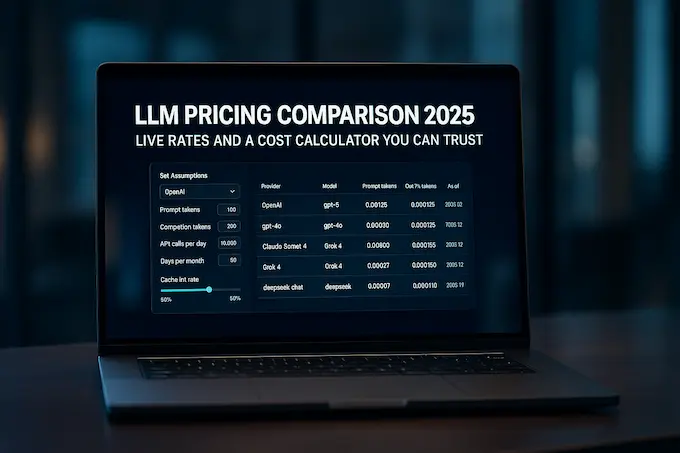
Use this LLM Cost Calculator to compare API pricing across GPT, Claude, Gemini, Grok, Kimi, DeepSeek, and Qwen models. Enter your prompt and output tokens, cache usage, API call volume, and billing period to estimate cost per request, per 1,000 requests, per day, and per month. You can also compare models side by side using the same workload and switch between per 1M and per 1K token pricing.
Pricing is maintained from official provider sources and includes supported cache rates, pricing modes, and context-based pricing tiers where applicable.
LLM Cost Calculator: Updated on 21 August 2026
AI Model Cost Calculator BinaryVerse Tools Vendor data
Compare token costs across OpenAI, Anthropic, Google, xAI, Kimi, DeepSeek, and Alibaba. Dropdowns are sorted with newest models first. Cached input uses the vendor “prompt cache read” price when available.
| Price in | Cached in | Price out |
|---|---|---|
| $0.00 | $0.00 | $0.00 |
All vendor pricing rows (sorted newest first) toggle
| Provider | Model | Unit | In | Cached | Out | As of | Source |
|---|
Table of Contents
Quick start
- Choose an AI provider and model.
- Select the pricing mode when alternatives such as Standard, Batch, Flex, or Priority are available.
- Enter the prompt tokens and output tokens used per request.
- Adjust cache usage when the selected model supports cached input or cache writes.
- Enter the number of API calls per day and billing days per month.
- Review the cost per request, per 1,000 requests, daily cost, and monthly cost.
- Add models to the comparison panel to compare the same workload side by side.
- Copy the result, share the scenario, or export the available pricing data when needed.
Compare LLM API Pricing Side by Side
Comparing token prices alone can be misleading because the cheapest input rate does not always produce the lowest cost for a real workload. This calculator lets you apply the same prompt size, output size, cache usage, and request volume to multiple AI models and compare the resulting costs side by side.
Add up to four models to the comparison panel to see their cost per request and projected monthly API cost under the same assumptions. This makes it easier to compare GPT, Claude, Gemini, Grok, Kimi, DeepSeek, and Qwen models without recalculating the workload for each one.
You can also use the comparison for prompt variants. For example, increase or decrease the prompt size, change expected output length, or adjust cache usage and see how those changes affect the cost of each model.
For a broader model-by-model pricing overview, see our AI model pricing comparison.
How the LLM Cost Calculator works
API pricing is shown per 1 million tokens by default, with an optional per 1,000 token view.
At its simplest, the estimated cost of one request is:
Input token cost + output token cost = cost per request
When supported by the provider, the calculator also accounts for cached input, cache writes, long-context pricing tiers, and alternative processing modes.
The calculator then multiplies the per-request estimate by your workload:
Cost per request × API calls per day = daily cost
Daily cost × billing days per month = monthly cost
For providers that charge different rates after a context threshold is crossed, the calculator applies the appropriate pricing tier based on the workload entered.
When comparing models side by side, the same token and request assumptions are applied to each model so the resulting cost difference is easier to evaluate.
Supported models
The LLM Cost Calculator includes current API models from OpenAI, Anthropic, Google, xAI, Kimi, DeepSeek, and Alibaba/Qwen.
Current model families include GPT-5.6 models, the Claude 5 family, Grok 4.6, Gemini 3.x models, Kimi K3, DeepSeek V4 models, and Qwen 3.7 models, alongside other supported API models.
We also retain commonly searched previous-generation models such as GPT-5.1 and GPT-4.1 where pricing remains useful for historical comparisons, migration planning, or evaluating existing applications.
Use the provider and model selectors in the calculator for the complete current list.
Pricing data and freshness
Pricing in this calculator is maintained using official API pricing documentation from each provider.
Each model entry includes its source and verification date where available. The calculator uses published token pricing and supports provider-specific features such as cached input rates, cache writes, context-based pricing tiers, and alternative processing modes when those rates are officially available.
The current dataset was reviewed on 17 August 2026.
AI providers can change prices, model names, context limits, and pricing policies. For large production workloads, always confirm the selected model against the linked vendor source before committing a budget.
The calculator does not invent unavailable pricing. If a provider has not published a cache rate, long-context rate, or alternative processing price for a model, that value is not assumed.
Why use this LLM Cost Calculator
- Estimate real workloads: Calculate costs from prompt tokens, output tokens, requests per day, and billing days rather than comparing headline token prices alone.
- Compare models side by side: Apply the same workload to several models and see the cost difference directly.Compare per 1M or per 1K tokens: Switch pricing units depending on how you prefer to evaluate API costs.
- Account for caching: Model cache reads and supported cache-write pricing instead of assuming every input token costs the full rate.
- Handle pricing tiers: Supported long-context and processing tiers are applied where providers publish different rates.
- Plan monthly API spend: Move from token pricing to cost per request, daily spend, and projected monthly spend.
- Use vendor-sourced pricing: Pricing entries link back to official provider documentation.
- Share your assumptions: Copy results, share calculator scenarios, or export available data for product, engineering, and budgeting discussions.
Tips to reduce LLM API costs
- Reduce unnecessary prompt tokens. Large system prompts and repeated context can become a major part of API spend at scale.
- Cap output length when possible. Output tokens are often considerably more expensive than input tokens.
- Use prompt caching for repeated context. Stable system prompts, instructions, and long context blocks can benefit from lower cache-read pricing when supported.
- Compare models using the same workload. A cheaper token price does not necessarily mean a lower total cost if another model requires fewer calls or shorter outputs.
- Consider Batch or alternative processing tiers. Some providers publish lower rates when immediate responses are not required.
- Watch long-context thresholds. Some models become more expensive after the request crosses a specified context size.
- Control agent loops and tool calls. A task that appears to require one model request can turn into many calls when an agent repeatedly reasons, retries, or uses tools.
- Route simple tasks to smaller models. Reserve more expensive frontier models for requests where the additional capability is actually needed.
Notes and assumptions
- Prices are expressed in US dollars per token unit unless otherwise stated.
- The calculator focuses primarily on LLM API inference costs, not model training costs.
- It does not calculate the full cost of training a foundation model or fine-tuning infrastructure unless a specific provider rate is explicitly represented.
- It is not a complete infrastructure or LLM total-cost-of-ownership model. GPU hosting, vector databases, storage, observability, engineering time, third-party tools, and other infrastructure costs are outside the core token calculation.
- Image, audio, video, web search, tool-use, grounding, and other provider-specific fees may be billed separately.
- Batch, Flex, Priority, regional, enterprise, provisioned-throughput, or committed-spend pricing can differ from standard API rates.
- Context length can affect pricing for models with threshold-based rates.
- Prices can change, so confirm large production budgets against the linked official provider documentation.
Copy, share, and export LLM cost estimates
Use Copy summary to create a concise report containing the selected model, workload assumptions, cost per request, daily cost, and projected monthly cost.
For model comparisons, add several models to the comparison panel while keeping the workload constant. You can also use the calculator’s sharing options to preserve a scenario for another user or export available pricing data for further analysis.
These options are useful when comparing API costs with product, engineering, finance, or procurement teams.
Change log
- 17 August 2026: Major pricing and calculator refresh. Added current model data including Grok 4.6 and Kimi K3, expanded provider coverage, side-by-side model comparison, additional cache handling, context-based pricing tiers, pricing modes, cost per 1,000 requests, scenario sharing, and CSV export.
- 17 February 2026: Model pricing dataset refreshed.
- 17 August 2025: Initial launch of the LLM Cost Calculator.
LLM API pricing sources
Pricing data is checked against official provider documentation:
- OpenAI: https://platform.openai.com/docs/pricing
- Anthropic: https://www.anthropic.com/pricing#api
- xAI: https://docs.x.ai/developers/pricing
- Google Gemini: https://ai.google.dev/gemini-api/docs/pricing
- Kimi / Moonshot AI: https://platform.kimi.ai/docs/pricing/chat
- DeepSeek: https://api-docs.deepseek.com/quick_start/pricing
- Alibaba Cloud / Qwen: https://www.alibabacloud.com/help/en/model-studio/billing-for-model-studio
What units does the LLM Cost Calculator use?
The calculator shows price per 1M tokens by default, which is the standard format used by most LLM API providers. You can switch to price per 1K tokens when evaluating smaller workloads.
To calculate a rough cost per individual token, divide the published price per 1M tokens by 1,000,000.
Is this API pricing?
Yes. The calculator is designed primarily for LLM API pricing and inference costs. It uses published input, output, and supported cache rates from AI providers.
Some providers also offer Batch, Flex, Priority, enterprise, regional, or committed-use pricing. These can differ from standard API rates and are included only where the calculator explicitly supports them.
What is a token?
A token is a small unit of text processed by an AI model. A word can contain one or several tokens depending on the language and tokenizer.
API providers generally bill input and output separately, so both the size of your prompt and the length of the generated response affect the final LLM cost.
Does prompt caching reduce LLM API cost?
It can. When a provider supports prompt caching, repeated input can often be billed at a lower cache-read rate than ordinary input tokens.
Some providers also charge separately when cached content is first written or created. The calculator accounts for supported cache-read and cache-write pricing so you can estimate whether caching reduces the total cost for your workload.
Caching tends to be most useful when requests repeatedly reuse long system prompts, instructions, documents, or other stable context.
Can I compare models side by side?
Yes. Add up to four models to the comparison panel and the calculator will apply the same prompt tokens, output tokens, cache assumptions, and request volume to each one.
This lets you compare models such as GPT, Claude, Gemini, Grok, Kimi, DeepSeek, and Qwen using the same workload rather than comparing token prices in isolation.
You can also change the workload to estimate how different prompt variants affect cost across the selected models.
How is LLM cost per token calculated?
LLM providers usually publish separate prices for input and output tokens. If a model costs $2 per 1M input tokens, the input cost per token is $2 divided by 1,000,000.
For a real API request, multiply the number of input tokens by the input rate and the number of output tokens by the output rate, then add the two values together. The LLM Cost Calculator performs this calculation automatically and can also account for supported cache pricing and pricing tiers.
Does This Calculate LLM Training Costs?
No. The calculator is primarily designed for API inference costs, meaning the cost of sending prompts to hosted LLM APIs and receiving model outputs.
Training or fine-tuning costs depend on factors such as GPU hardware, training duration, dataset size, compute utilization, cloud infrastructure, and provider-specific training rates. Those costs should not be confused with API token pricing.
Is This an LLM TCO Calculator?
Not completely. The calculator estimates direct LLM API usage costs, which are one component of total cost of ownership.
A complete LLM TCO calculation may also include engineering time, GPU or cloud infrastructure, vector databases, storage, observability, third-party APIs, agent tools, data pipelines, and operational costs.