
Introduction
You have an idea for an AI product, a budget, and a deadline. Somewhere between a prototype notebook and a production app you hit a fork in the road. It looks simple at first, LangChain or LangGraph, yet this choice quietly shapes architecture, performance, and how fast you can move. The real question is not who wins in LangChain vs LangGraph, it is how your workflow matures from linear pipelines to systems that can plan, act, and recover.
This guide gives you a confident path. We will define each tool in plain language, show where it shines, and offer a decision framework you can trust. By the end, LangChain vs LangGraph will feel less like a rivalry and more like two gears that mesh. Use LangChain to lay track fast. Switch to LangGraph when you need a dispatch center, a memory, and a way to keep trains from colliding.
Table of Contents
1. LangChain Explained, Components And LCEL In Practice
LangChain is an AI application framework that hands you the basics you reach for every day, model wrappers, document loaders, text splitters, retrievers, vector stores, output parsers, and clean glue to connect them. The glue is LCEL, short for LCEL orchestration, a declarative way to pipe prompt, model, and parser into a readable, testable chain.
Think of it as a robust parts cabinet. You pick a model, wrap it, feed data through a loader and splitter, index into a vector store, then stitch the steps into a single Runnable. For many apps, that is the whole story. A translation tool, a summarizer, a classic RAG answerer, or a one shot classifier. If your task is input in, output out, LangChain keeps you shipping.
Two notes matter for teams:
- The component surface is broad, which saves weeks of integration work.
- The learning curve flattens once you think in chains and Runnables rather than bespoke scripts.
Academic overviews show this clearly. A 2024 preprint maps the LangChain stack, from chat models and memory to LangGraph, LangServe, and LangSmith, with an honest discussion of complexity, security, and deployment choices.
If your current problem sounds like a straight line, LangChain vs LangGraph is not a fight. Reach for LangChain first. It excels at stateless, predictable flows and remains the easiest way to build LangChain agents that just need tool calls, structured outputs, and clean logs.
2. LangGraph Explained, Building A Brain With A State Machine
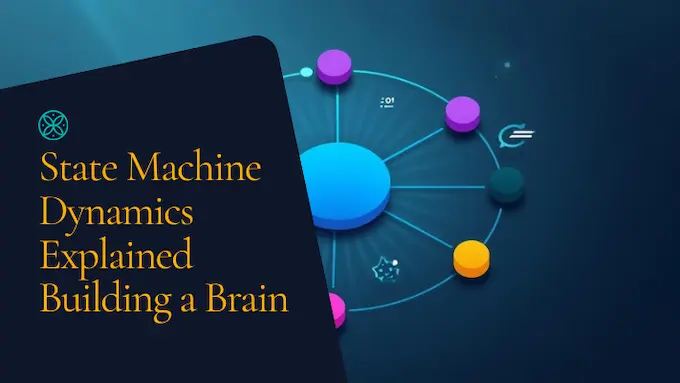
LangGraph is a graph engine for agentic work. You model your app as a LangGraph state machine. Nodes are actions. Edges decide where to go next. The graph holds state so your system can loop, branch, backtrack, and pause for a human. That makes it a natural fit for evaluators, multi step plans, multi tool actions, and multi agent collaboration.
Here is the mental model:
- State lives at the center, not scattered across functions.
- Control flow is explicit. You see loops, retries, and guards instead of burying them in nested ifs.
- Observability becomes easier. Each node reports what it did and why.
Research on agents built with LangGraph drives this home. One paper shows modular translation agents, an intent router, and specialized translators connected as a graph. The system keeps context, routes requests, and improves multilingual quality by leaning on persistent state.
If your app needs to plan, call tools until a goal is met, coordinate roles, or keep long context across runs, LangChain vs LangGraph becomes a question of maturity. This is when to use LangGraph. You are leaving single pass chains and building something that thinks.
3. The Key Technical Differences, A Side-By-Side View
Below is a fast scan of how the two frameworks diverge where it counts.
LangChain vs LangGraph: Key Differences
| Dimension | LangChain | LangGraph |
|---|---|---|
| Core Model | Linear chains with LCEL orchestration | Graph of nodes and conditional edges |
| State | Optional memory per chain | Central, persistent, checkpointable state |
| Control Flow | Compose steps in a straight line, limited loop patterns | Native loops, branching, retries, backtracking |
| Best For | Stateless tasks, RAG, summarization, AI agents Python that are simple | Long running agents, multi tool flow, multi agent systems |
| Human-In-The-Loop | Ad hoc | First class pause, edit, resume |
| Observability | Works well with LangSmith traces | Node level traces, time travel, rich graph introspection |
| Migration Cost | Lowest, quick to first value | Higher, pays off as complexity grows |
If the job is a pipeline, LangChain is lighter. If the job is a nervous system, LangGraph is the right organ. Place this table next to your roadmap and the LangChain vs LangGraph choice clarifies in minutes.
4. The Developer’s Decision Framework, Pick The Right Tool
You do not need a committee. You need a clear rule of thumb and a checklist.
Use LangChain if:
- Your workflow has a single path from input to answer.
- You are building classic RAG, summarization, extraction, or a one shot tool caller.
- You want to use proven parts fast, then swap vendors later.
Use LangGraph if:
- The app must decide, act, and evaluate in loops until done.
- You are designing a stateful chatbot, a co-pilot, or a planner with validators.
- Multiple specialized agents must coordinate and share a memory.
LangChain vs LangGraph: Quick Decision Matrix
| Project Signal | Choose | Why |
|---|---|---|
| Prototype RAG for a doc set | LangChain | Speed, clean Runnables, fewer moving parts |
| Tool use with one or two calls | LangChain | Simple LangChain agents, easy structured output |
| Multi turn support workflow | LangGraph | Persistent state and retries across steps |
| Research assistant that plans, searches, and verifies | LangGraph | Graph loops and guards improve reliability |
| Vendor swap on models and stores | LangChain | Integrations and wrappers keep code small |
| Human approvals on risky actions | LangGraph | Native pause and resume in the graph |
Use this grid on real tasks. You will say LangChain vs LangGraph out loud less and ship more.
5. Production Realities, What The Community Got Right
Engineers complain about two things, over abstraction and drift in docs. The community is not wrong. LangChain moved fast. Parts shifted names. Some tutorials aged. People wrote long threads about it. The LangChain team answered with cleaner LCEL primitives and placed the heavy agent logic inside LangGraph. That shift lowered magic, raised control, and made failure modes easier to see.
Peer reviewed and practitioner write ups echo this narrative, LangChain brings breadth, integration, and speed, while the graph brings explicit state and control. When your roadmap crosses complexity lines, LangChain vs LangGraph is not a debate. It is a handoff.
One more lesson from production, observability is not optional. LangSmith traces turn both stacks into something you can measure. With traces on, a broken node shows up fast, the bad tool call is obvious, and a single misrouted edge stops hiding in logs. Pair this with tight tests and you will feel the stack settle down.
6. The Ecosystem, Parts, Brain, And Eyes
A simple analogy helps new teams. LangChain gives you the bricks and the conveyor belts. LangGraph gives you the blueprint and the control room. LangSmith gives you the glass wall that lets you see the factory run. Together, your path looks like this:
- Build a minimal chain that answers a narrow task.
- Add retrieval. Add one or two tools. Ship a thin slice.
- Promote the work to a graph once you need loops, shared state, and human checkpoints.
- Keep LangSmith on at every step.
You will still say LangChain vs LangGraph when scoping a new feature. The answer will often be both, chains inside nodes, nodes inside graphs. The more your app behaves like a team of specialists working together, the more LangGraph pays back the model.
7. A Practical Walkthrough, From One Tool To Many
7.1 The Single-Tool Starter
Start with LangChain. Wrap a model, define a prompt, and call one tool, for example a price lookup. This gives you a working assistant that answers questions and occasionally fetches data. You can ship this in a day. For many internal tools, this is enough. You used LCEL, you kept code short, and you can swap providers later without pain. For this slice, LangChain vs LangGraph is simple, LangChain wins.
7.2 The Two-Tool Upgrade
Now the agent must choose a tool, search or database. Choices require state, outcomes from one step should alter the next, and you want retries with different parameters. Move to LangGraph. Create nodes for plan, act, and verify. Store messages and intermediate results in state. Add a guard that asks for human approval on expensive actions. Stream partial results back to the UI as nodes complete. You just crossed the line where LangChain vs LangGraph flips.
7.3 The Multi-Agent System
Your product now has a researcher, a coder, and a reviewer. Each is narrow, each uses different models, and each emits artifacts into shared state. A top level router allocates tasks. A supervisor checks for success. The graph loops until a validator signs off, then persists outputs. This is where LangGraph shines. The model is explicit. Failures are visible. Human approval is clean. You can explain the flow to legal and compliance without blushing.
Agentic design at this level matches what the literature describes, modular agents linked by a graph that preserves context, routes work, and improves results through iteration. You still use LangChain parts inside nodes, loaders, retrievers, vector stores, and parsers. That is the productive blend behind many real systems that people frame as LangChain vs LangGraph.
8. Deep Dive, How State Changes The Game
8.1 Memory With Purpose
LangChain supports memory inside chains when you need it. LangGraph makes memory the fabric, not an add on. You can checkpoint, rewind, and branch. You can run long sessions without losing the plot. For an interviewer bot, a co-pilot, or a research agent, this alone decides when to use LangGraph.
8.2 Guardrails You Can See
A LangGraph state machine turns guardrails into code you can point to. You can pause before a write, inspect the plan, inject human edits, and resume. You can mark a node as flaky and add a retry with varied temperature or a fallback tool. You can capture the full trail in LangSmith and replay a bad run to the exact step that drifted. This is operational control, not decoration.
8.3 Performance That Favors Structure
As you add steps and tools, structure beats clever prompts. You will see fewer dead ends and tighter latency variance when nodes do one job each. In practice, a layered plan, then a tool call, then a verifier, outperforms a single mega prompt with instructions squeezed into a paragraph. Researchers who compare workflows echo this, model power matters, yet control flow and memory separate toys from tools.
At this stage, teams stop asking LangChain vs LangGraph as a slogan. They think in capabilities. Chains get them to market. Graphs help them stay there.
9. Implementation Notes, What To Watch For
9.1 Keep The Surface Area Small
Do not import every integration on day one. Pick one model provider, one vector store, and one tool interface. Build a clean adapter layer. Your AI application framework should be boring in the best way.
9.2 Test With Data, Not Hunches
Use eval sets, sampled logs, and playbooks that mimic real tasks. Add LangSmith scoring and trace review to your weekly ritual. Tie failures to nodes or chain steps so fixes land where they matter. The LangChain paper highlights the value of tracing and evaluation for production fit.
9.3 Design For Human Approval
If the agent can spend money, send emails, or delete data, design a pause and approve loop from the start. LangGraph makes this natural with state edits and resume. You get accountability without hacks. The translation-agent study demonstrates how explicit routing and modular roles improve quality under supervision.
9.4 Keep Python Practical
Most teams ship AI agents Python first, because the ecosystem is rich. Keep functions pure where possible. Make nodes small. Keep side effects at the edges. That discipline pairs well with both chains and graphs.
10. The Balanced Takeaway, And A Call To Action
You do not need a grand theory to make the call on LangChain vs LangGraph. You need a crisp read on the shape of your problem today, and where it will be three months from now.
- Choose LangChain when you want to move fast on linear work. The parts are ready, the docs have caught up, and LCEL makes pipelines easy to read and test.
- Choose LangGraph when you are building an application that must think, loop, and remember. The model shines when you design for state, decisions, and human checkpoints.
- Use both as your system matures. Chains live inside nodes. Nodes live inside graphs. LangSmith keeps you honest about what actually happens at runtime.
If your team has been stuck in threads about LangChain vs LangGraph, pull the decision back to first principles. What is the shortest path to a user visible win this sprint. What must be true in production for trust, safety, and cost. Then pick the layer that removes the most friction right now.
Here is a practical challenge for the week. Take one high value task from your backlog. Ship it as a clean chain with LCEL. Add a single tool. Put traces on. When product asks for planning, retries, and approvals, migrate that slice into a three node graph with a shared state store. Measure time to answer, failure rate, and edit distance on outputs. You will have real numbers, not opinions, and you will have learned the texture of LangChain vs LangGraph where it counts.
The next step is yours. Build the small thing that works, then graduate the parts that need a brain. Your users will thank you, your logs will be readable, and your roadmap will stop fighting itself. Now pick a task, open your editor, and get the first chain running today. Then let the graph earn its place.
1) What is the simple difference between LangChain and LangGraph?
In LangChain vs LangGraph terms, LangChain suits linear workflows that move from prompt to answer with LCEL, while LangGraph fits complex, stateful workflows that need loops, branching, persistence, and human approval. Use chains for straight lines, and graphs for agent brains.
2) Will LangGraph replace LangChain for building agents?
Yes for agent runtimes in this ecosystem, LangGraph is now the recommended foundation. LangChain’s current agent APIs run on top of LangGraph, which provides durable execution, streaming, and persistence for production agents.
3) When should I choose LangGraph over a simple LangChain (LCEL) chain?
Choose LangGraph as soon as your app must remember state across steps, make decisions, retry, branch, or coordinate multiple tools or roles. Stay with a simple LCEL chain for stateless tasks like summarization or one-shot RAG.
4) Do I need to know LangChain before learning LangGraph?
It helps, not required. LangGraph can be learned directly and used standalone, yet it integrates cleanly with LangChain components if you want them later.
5) How do LangGraph and LangSmith work together?
LangGraph defines the agent’s logic and state, while LangSmith adds observability, replay, debugging, and evaluation so you can trace every node and decision.