

Claude hub: all guides in one place
Introduction
You can tell a tool matters when smart people start asking the same blunt question, what is it really for. That is where we are with Claude Skills. The launch was simple, the reactions were anything but. Are these just fancy prompts. Are they a new take on agents. Do they compete with Projects, or do they complement them. This guide gives you a crisp answer, then shows you how to put Claude Skills to work today. You will walk away with working patterns, step by step setup, and a mental model you can trust.
Table of Contents
1. What Are Claude Skills, The Simple Explanation
Think of Claude Skills as packaged expertise. A skill is a small folder with instructions, examples, and optional scripts that Claude can load on demand. Instead of pasting long guidance every time, you package the way you want a task done once, then Claude recognizes when that skill applies and brings it in only when needed.
Three traits make that useful in practice.
- Persistence. A skill survives across chats, Projects, and sessions.
- Specificity. A skill captures how you do one thing, for example a weekly update, a brand-safe slide deck, or a compliance check.
- On-demand loading. Claude sees the skill’s metadata first, then pulls the heavy details only if the task matches.
If you want a clean one-liner, Claude Skills are repeatable SOPs that the model can read, reason about, and execute without you re-explaining your standards each time.
2. Skills vs Projects vs Custom Instructions, Clearing The Confusion
You do not need to replace your current workflow. You need the right tool for each layer.
2.1 Skills, When To Use
Use Claude Skills when you have a repeatable procedure. Brand guidelines, report templates, QA checklists, data cleaning steps, document creation patterns. Skills make those procedures portable across every conversation and they activate automatically.
2.2 Projects, When To Use
Projects are for work where context accumulates. Ongoing research, product launches, client accounts. You gather references and history in one workspace. That context does not follow you to new chats, which is fine because the value is in the continuity inside that project.
2.3 Custom Instructions, When To Use
Custom instructions steer tone and global preferences. Keep them short and universal. Ask for concise answers. Ask for citations. Ask for numbered steps. Do not bury long checklists here. Those belong in Claude Skills where they can stay detailed and only load when relevant.
If you like mnemonics, think P for Project, persistent place. S for Skill, specific standard. C for Custom instructions, company voice.
3. Not Just Pre-Made Prompts, Why Skills Are Different
Skepticism is healthy. Saved prompts are not new. Here is why Claude Skills are a different class.
- Executable code when needed. A skill can include Python or other scripts that run inside Claude’s code execution environment. That covers the last mile for tasks where scripted logic beats natural language, such as shaping a spreadsheet, cleaning CSVs, converting document formats, or checking style rules.
- Composability. Claude can chain multiple skills in one flow. Create a spreadsheet, apply your brand styles, then export a slide deck. You describe the outcome. Claude picks and coordinates the right skills.
- Progressive disclosure. The model first reads lightweight metadata. Only when the task matches does it pull full instructions and resources. That keeps context lean and improves reliability. It also means Claude Skills can help with usage limits because you are not flooding the context up front.
This is the shift. From prompting once to teaching once. From one big blob of guidance to small, reusable modules.
4. Five Practical Examples You Can Use Today
This is where Claude Skills earn trust. Start with these patterns.
4.1 The Document Creator
Goal. Create real Excel, Word, PowerPoint, and PDF files with formulas, layouts, and clean typography.
How
- Enable the official document skills.
- Ask for a deliverable, for example, “Create a Q3 budget in Excel with monthly breakdowns and a summary sheet.”
- Review the created file, then say what to change using clear deltas, for example, “Add a variance column and conditional formatting for overruns.”
- Save the files locally. Iterate until it matches your standard.
Where it shines. Repeatable business documents where structure matters and rework is costly.
4.2 The Brand Guardian
Goal. Enforce brand styles across slides, PDFs, and docs.
How
- Package your hex codes, logo usage, spacing rules, and a few canonical examples as a skill.
- Toggle it on.
- When you ask for a deck or a one-pager, Claude applies the styles by default.
- Add a “red-flag” checklist inside the skill so the model auto-checks font sizes, contrast ratios, and logo placement.
Where it shines. Sales decks, internal memos, investor updates. Consistency without manual policing.
4.3 The Automated Researcher
Goal. Synthesize a topic with your structure, not the internet’s.
How
- Write a research framework inside a skill, for example, “Summarize with purpose, methods, main claims, evidence quality, and counterpoints.”
- Include short examples of good and bad summaries.
- Ask for a synthesis by naming the skill and the target topic.
- Capture contradictions in a dedicated section so you can see disagreement fast.
Where it shines. Literature reviews, market scans, policy notes.
4.4 The Skill Creator
Goal. Use a meta-skill that teaches Claude how to build new skills.
How
- Enable the skill-creator.
- Describe your workflow in plain language.
- Review the proposed SKILL.md and file layout.
- Edit the details that reflect judgment, then save the new skill.
Where it shines. Fast onboarding for teams. You standardize how to standardize.
4.5 The Skill Seeker
Goal. Generate a working skill from your favorite framework or docs.
How
- Point the tool at a documentation site.
- Let it extract structure and commands.
- Inspect the result for scope, safety, and quality.
- Keep only what you trust, then pin the version.
Where it shines. Developer platforms, internal playbooks, product operations.
Each example leverages the same idea. Put your method in a box once. Call the box by name. Let Claude bring it in only when it helps.
5. Getting Started, Step By Step
You can set up Claude Skills in under an hour. Do it once, then keep improving.
Step 1. Enable Skills
Open settings and turn on Skills. For teams and enterprises, ask an admin to enable them organization-wide.
Step 2. Try Official Skills
Toggle on the document skills for Excel and PowerPoint. Make a small test file to prove the flow end to end. Download, review, request edits, download again.
Step 3. Create Your First Custom Skill
Use the skill-creator to scaffold a new skill. Describe a single procedure you repeat often. Give it examples of good output and common failure cases. Name it clearly so you can reference it in natural language.
Step 4. Test Like A Product
- Run three different prompts that should trigger the skill.
- Check if the model loads the skill in its reasoning trace.
- Verify outcomes against your checklist.
- Tweak the instructions, not the prompts, to improve reliability. Treat the skill as the product, the prompts as inputs.
Step 5. Share And Version
Commit the skill to version control. Tag a version when it behaves consistently. Teach your team how to call it by name. Add a short change log inside the skill so people know what improved.
This is the rhythm. Ship, test, refine, version. Small skills compound.
6. For Developers, A Fast Path To The API
If you use the API, the shape is simple. You specify a container with a list of skills, each with a type, a skill identifier, and an optional version. The code execution tool must be enabled because many Claude Skills rely on it. When the model runs a skill that produces files, you receive file identifiers that you can download with the Files API. For stability, pin exact versions in production and use latest in development.
A practical flow looks like this in steps.
- Create or enable the skills you need. For example, xlsx and pptx.
- In your message request, add a container block that lists those skills.
- Include the code execution tool in the tools list.
- Send the task in plain language. Let Claude decide which skills apply.
- Parse the response for file identifiers and download the artifacts with the Files API.
- For long operations, watch for a pause signal, then continue the turn with the same container id.
- Keep the skill list consistent across turns to benefit from prompt caching.
That is all you need to integrate Claude Skills into a service, a cron job, or a build pipeline.
7. Working Within Limits, Tokens And Rate Caps
Usage limits are real. The right design helps. Claude Skills improve headroom because of progressive disclosure. Instead of loading a giant block of instructions into every conversation, Claude starts with a short description of each available skill. Only if your request matches does it pull the full text and resources. In practice that frees context for the work you care about, which means fewer cutoffs and fewer retries.
You can go further.
- Keep each skill narrow. A focused skill loads less, triggers more accurately, and composes cleanly with others.
- Split heavy guidance into separate skills and let Claude pull only the parts it needs.
- Pin versions in production so the behavior stays predictable.
- Remove unused skills from the container when you know a flow only needs one or two.
The combination of small scope and explicit versions gives you reliability without waste.
8. Designing Good Skills, A Practical Checklist
Great Claude Skills read like good engineering docs. Clear, scoped, and testable.
Name And Purpose
Pick a short name and a one sentence description that says when to use it. If the name is obvious, Claude will find it when you ask in plain language.
Inputs And Outputs
State what the skill expects and what it produces. For document skills, mention file formats. For data skills, mention shapes and column names.
Success Criteria
List pass and fail conditions. If you care about accuracy, specify checks the skill should perform. If you care about style, define rules the skill must enforce.
Examples
Include one minimal example and one realistic example. Show the path from request to result.
Guardrails
Call out what not to do. Add a short list of out-of-scope tasks. Add safety notes if a script touches sensitive data.
Versioning
Write a change log at the top. Pin versions in containers for production. Update versions intentionally, not casually.
Security
Treat skills like code. Review before enabling them. Avoid untrusted sources. Prefer plain, readable scripts over clever magic. Use trusted sources.
Follow this checklist and your Claude Skills will feel like a reliable teammate, not a roulette wheel.
9. Where Skills Fit With MCP And Agents
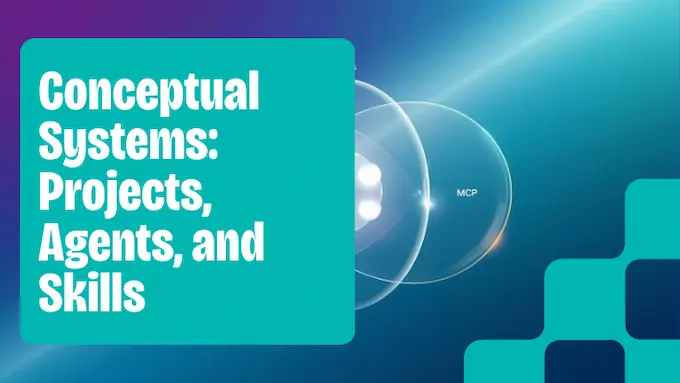
You will hear comparisons, Claude Skills vs MCP, Claude Skills vs Projects, Claude Skills vs agents. Here is a balanced frame.
Projects are a home for evolving context. They shine when you need continuity and a paper trail.
Agents coordinate tools and autonomy. They shine when you want multi-step reasoning that persists across tasks and time.
MCP provides a standard way to expose external tools and data. It shines when you need robust, permissioned access to systems outside the model.
Claude Skills slot in as the reusable expertise layer. They are smaller than agents, lighter than Projects, and closer to the metal than custom instructions. You can use them with agents and Projects, not instead of them. The simplest pattern is this, Projects hold the narrative and artifacts, Claude Skills enforce standards inside each step, and MCP gives you controlled access to the outside world.
If you think in systems, you can see the flow. Requests come in. A router chooses the right agent or Project. The agent composes Claude Skills by name. Each skill does one job, then hands the result back. The outcome is predictable because the pieces are modular and versioned.
10. Closing, Make Your Expertise Repeatable
Knowledge scales when you package it. That is the promise of Claude Skills. You move from telling to teaching, from one-off brilliance to repeatable excellence. The workflow is fast. Turn them on, try the official document skills, ship one small custom skill, then refine.
If you publish for a living, start with a Brand Guardian and a Document Creator. If you lead research, start with an Automated Researcher that encodes your synthesis rubric. If you run operations, start with a Quarterly Review skill that builds your spreadsheets and slides with the right checks baked in.
You do not need a big migration. You need one good skill that pays for itself this week. Build it, pin it, share it with your team. Then do one more. In a month you will have a small library of Claude Skills that makes your work faster, safer, and more consistent.
If this helped, pick a single workflow and ship a skill for it today. Then tell your team what changed and why it matters. The next time you ask, Claude will already know how you want it done.
Appendix, Quick Pointers You Can Use Right Away
- Naming. Choose a verb-noun name so it reads well in prompts, for example, “Create Quarterly Review.”
- Scope. One job per skill. Composition beats bloat.
- Evidence. Put tests and sample files next to the SKILL.md so anyone can check behavior.
- Distribution. Keep skills in version control. Review changes like code.
- Safety. Use trusted sources. Keep scripts readable. Avoid secrets inside skills.
Why This Approach Works
People ask, what are Claude Skills good at in the real world. The answer is alignment with how teams actually work. Teams do not want more knobs. They want fewer ways to make avoidable mistakes. Claude Skills give you an easy way to turn your standards into a tool that everyone can use without ceremony. They fit small companies that want speed. They fit large companies that want consistency and governance. They fit individual creators who want to spend time on ideas, not formatting.
Call it craftsmanship for AI. Package your way of working. Let the model carry the load. Improve the skill when you learn something. That is how you go from impressive demos to quiet, compounding productivity.
A Final Word On Adoption
You will see the best results when you keep the rollout simple.
- Pick one high friction task.
- Write the skill with real examples.
- Put it in front of your team.
- Fix the top three issues they hit.
- Freeze a version and mark it stable.
That is it. You have taught your organization something that never forgets. The next time someone asks, what are Claude Skills, you can answer in one sentence and show a file that proves it.
1) What is the difference between Claude Skills, Projects, and Custom Instructions?
Claude Skills, reusable task modules with instructions and optional scripts that load on demand across chats and workspaces.
Projects, a workspace where context and files accumulate over time for a single effort.
Custom Instructions, brief global preferences that guide tone and behavior.
2) Are Claude Skills just a fancy way of saving and reusing prompts?
No. Claude Skills can include executable code, compose with other skills, and load details only when relevant. This design keeps context lean and enables more reliable, repeatable workflows than plain saved text.
3) How do I create my own custom Claude Skill?
Enable Skills, then either use the built-in skill-creator or package a folder with a SKILL.md file, examples, and any scripts. Give it a clear purpose, inputs, and outputs, then test and version it before sharing with your team.
4) Can I use Claude Skills with the API?
Yes. Add skills in the request container, enable the code execution tool, and manage versions through the console and endpoints. Generated files can be downloaded via the Files API.
5) Are Claude Skills available for free users?
Claude Skills are available to Pro, Max, Team, and Enterprise plans. Free users do not have access. Check your plan settings to enable them.