

More Chatgpt articles on the Hub Page
2026 update: OpenAI announced on June 3, 2026 that it is winding down Agent Builder and Evals. Both products are scheduled to leave the OpenAI platform after November 30, 2026. Existing users can continue using Agent Builder during the transition, but OpenAI recommends the Agents SDK for workflows that need to continue as code, or Workspace Agents in ChatGPT for suitable natural-language workflows. ChatKit remains available.
OpenAI AgentKit does not have a separate monthly Agent Builder subscription. OpenAI says the AgentKit tools are included with standard API model pricing, so the real cost comes from the models and tools your workflow uses, plus charges such as ChatKit file and image storage.
But there is an important 2026 update before you build anything new. OpenAI announced on June 3, 2026 that Agent Builder and Evals are being wound down, with both scheduled to leave the platform after November 30, 2026.
So the answer to “is OpenAI Agent Builder free?” is still that there is no separate Agent Builder product fee, but that is no longer the whole story. Existing users need to consider migration, while new long-lived agent projects should look at the Agents SDK or, for appropriate ChatGPT workflows, Workspace Agents.
Quick answer: For the common OpenAI AgentKit pricing question, Agent Builder is free while you design and iterate. Costs start when you run or deploy agents, because model tokens, built-in tools, and ChatKit file/image storage are usage based. OpenAI’s detailed pricing page lists Agent Kit ChatKit storage at $0.10 per GB-day after 1 GB free per account per month.
I’ll keep this friendly to builders who want results, not buzzwords. By the end, you’ll have a no-nonsense mental model, a step-by-step build, and a clear sense of where AgentKit vs n8n lands for real teams.
Table of Contents
1. The Three Pillars Of AgentKit
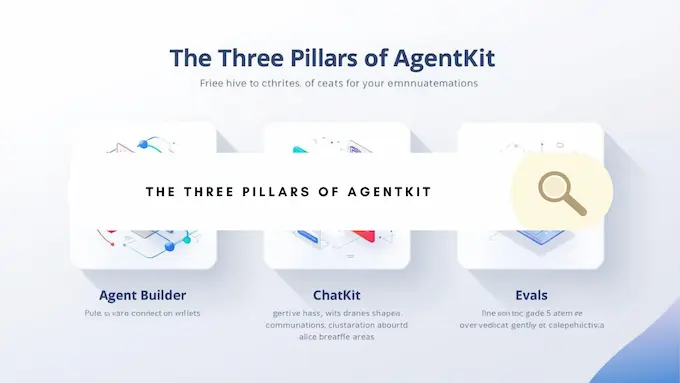
OpenAI’s agent stack is not one thing. It is three parts that snap together when you want to build AI agent no-code and then deploy it with confidence.
1.1 Agent Builder, Your Visual Logic Canvas
Think of Agent Builder as a whiteboard that runs. You drag nodes, connect them with typed edges, pick models, attach tools, and wire in guardrails. It ships with previews so you can watch runs step by step. It also versions your workflow so you can publish, roll back, and ship updates without breaking production. If you’re searching docs later, this is often referred to as Agent Builder OpenAI.
1.2 ChatKit, The Embeddable Chat UI
OpenAI ChatKit gives you a production-ready chat surface that streams responses, manages threads, handles uploads, renders widgets, and looks like your product with a few lines of code. Use the hosted option to move fast or self-host when you need deeper control.
1.3 Evals, The Reality Check
Agents feel great in demos. Evals is where you find out if they actually work. You get datasets, trace grading, automated prompt optimization, and support for third-party models. You can measure behavior node by node or end to end, then iterate.
Together, these pieces are Agentkit. The goal is simple. Design visually, embed quickly, measure rigorously.
2. How To Build Your First Agent In Agent Builder
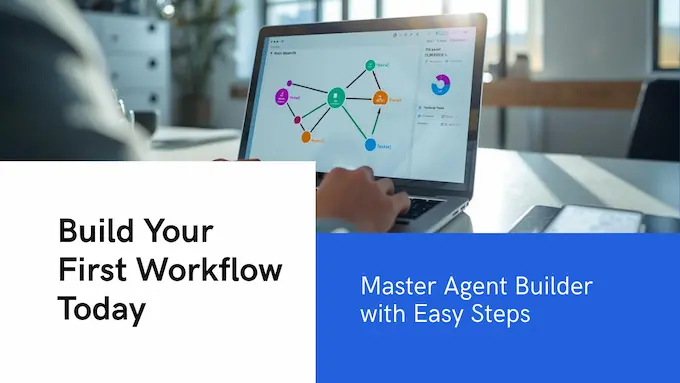
Let’s ship a small agent that answers questions about a PDF knowledge base and cites its sources. No YAML wall. No bespoke orchestration. This entire path works with Agentkit out of the box.
2.1 Step 1, Create A New Workflow
Open the OpenAI platform, choose Agent Builder, and create a blank workflow. Give it a clear name, for example “Docs Assistant.” You’ll see a canvas with a Start node. This is your entry point.
2.2 Step 2, Add Your First Agent Node
Drag an Agent node onto the canvas. Set instructions like “Answer concisely, cite file snippets you used.” Choose a model appropriate for your budget and latency. Strong defaults help you learn without configuration drift.
2.3 Step 3, Attach A File Search Tool
Add a File Search tool node. Upload a single PDF first, then a small set of docs. Connect File Search to the Agent node. This gives the agent grounded context so it does less hand-waving and more answering.
2.4 Step 4, Add Guardrails
Drop in the Guardrails node. Start with PII masking and jailbreak detection. Connect it before the Agent node so all inputs are filtered consistently. Safety is not a bolt-on.
2.5 Step 5, Add Control Flow
Drag an If/Else node. Route short questions straight to the Agent node. Route long requests like “summarize this file” through a Summarizer sub-agent. This is where Agentkit shines because branching logic is visual and versioned.
2.6 Step 6, Preview And Watch The Trace
Click Preview. Ask “What are the onboarding steps?” Attach a sample PDF. Watch the trace. You’ll see inputs, tool calls, and outputs, plus token usage and latency. Fix the obvious issues now.
2.7 Step 7, Publish With Versioning
Hit Publish. You’ll get a workflow ID and a version tag. This is a deployable artifact, not a screenshot. You can now embed the workflow with ChatKit or call it from code. Every publish is a snapshot you can pin in production. This is the heartbeat of Agentkit.
3. A Ten-Minute Walkthrough, From Canvas To Live Chat
Let’s wire this workflow into a live UI using OpenAI ChatKit.
3.1 Create A Chat Session
From your backend, create a ChatKit session and pass the workflow ID you just published. Return the client secret to your frontend. This is a short endpoint with minimal state.
3.2 Mount The Widget
Install the ChatKit bindings, add the script or component, and render <ChatKit> with your session token. At this point you’ve embedded a fully working chat surface that talks to your agent.
3.3 Add A Widget For Sources
Use a card or list widget to show citations and file snippets under each answer. Users trust what they can audit. You can ship that UX in an hour with Agentkit.
3.4 Iterate With Evals
Run a small dataset of real questions. Use trace grading to catch bad tool calls, missing context, or hallucinated citations. The feedback loop matters more than your prompt elegance. This is where Agentkit pays off quickly.
4. OpenAI AgentKit Pricing: Is Agent Builder Free?
Agent Builder does not have a separate subscription fee, so the simple answer to “is OpenAI Agent Builder free?” is yes for designing and iterating. You still pay for model tokens, tools, and storage when workflows run. However, OpenAI announced in June 2026 that Agent Builder is being wound down and will no longer be available after November 30, 2026.
| Item | What You Get | Free Tier | Beyond Free Tier | Notes |
|---|---|---|---|---|
| Agent Builder | Visual design, previews, versioning | Always free to design | Pay when you run or deploy | Free design canvas; usage starts with runs |
| Model Usage | Inference tokens for your agents | None | Billed per model rates | Choose models for cost and speed |
| ChatKit Storage | File and image uploads | 1 GB per account per month | $0.10 per GB-day | Applies to file and image uploads |
| Evals Runs | Datasets and graders | None | Billed by model tokens | Treat like test suites, not toys |
| Enterprise Controls | SSO, RBAC, audit logs | Included | Included | No surcharge for core controls |
Billing began on November 1, 2025. Budget-wise, start small. Keep files lean, cap upload size, and prefer compact models in conversational flows. Those choices will make AgentKit feel cheap and fast without hiding the real usage meter.
5. Who Gets Access And How
5.1 Developers
If you have an OpenAI API account and key, you can use ChatKit and Evals from the developer platform. You’ll be billed at standard API rates, with detailed tool pricing listed in OpenAI’s developer pricing page. That’s the shortest path to a real deployment on AgentKit.
5.2 Enterprise And Education
Agent Builder is now in its transition period and is scheduled to become unavailable after November 30, 2026. Existing users can continue using it during the transition, while OpenAI recommends migrating long-term workflows to newer agent-building options.
5.3 ChatGPT Plus Users
A Plus subscription is not a shortcut. If you searched for “agent kit ChatGPT,” the important distinction is this: AgentKit is an API-side toolkit, not a normal ChatGPT Plus feature. You still need platform access and an API key to use AgentKit.
6. AgentKit vs n8n, Where Each Wins
Comparisons help you pick the right tool for the job, not the internet thread.
6.1 Where AgentKit Wins
- Deep model integration with OpenAI features, tools, and evals.
- First-class agent UX through OpenAI ChatKit, which reduces frontend lift.
- Guardrails and trace grading in the same place you design logic.
- Clear release management. Publish a version, embed the ID, track changes.
6.2 Where n8n Or Zapier Still Wins
- Thousands of pre-built connectors for non-AI apps.
- Self-hosting and local deployments are straightforward with n8n.
- Broad automations that touch many SaaS APIs in one flow.
6.3 Practical Verdict
For AI-centric products where the model is the core, Agentkit gives you a sharper knife and a safer cutting board. For broad automation across calendars, sheets, CRMs, and billing, n8n remains a powerhouse. Many teams will use both and integrate at the edges.
7. Design Patterns That Make Agents Feel Capable
A few patterns move the needle more than fancy prompts.
7.1 Compose Specialized Sub-Agents
Use a classifier to route messages to smaller agents with focused instructions. Retrieval agent, summarizer, planner. Each node does one job well. This is a natural fit for Agentkit.
7.2 Make Tools Observable
Treat tools like first-class steps in the trace. Log arguments and outputs. When a tool misbehaves, you want to see it without spelunking.
7.3 Put Guardrails Upstream
Filter inputs once before branching. That way every path benefits. PII masking and jailbreak detection belong at the top in Agentkit.
7.4 Close The Loop With Evals
Curate a tiny dataset that mirrors real traffic. Run it after every prompt change, model swap, or tool update. Regressions are sneaky.
8. Step-By-Step Build, A Simple “Homework Helper” Agent
This is a compact walkthrough you can follow as is. It shows how Agentkit feels when you move with intent.
8.1 Define The Job
Goal: explain homework concepts in plain language, then propose two practice problems with answers hidden behind a toggle.
8.2 Set Up The Canvas
- Add an Agent node named “Tutor.”
- Instructions: “Explain concepts simply. Use short paragraphs. End with two practice problems. Provide an answer key only on user request.”
- Model: pick a mid-tier model for cost control.
8.3 Add Knowledge
• Attach File Search with a folder of class notes or a single textbook chapter.
• Enable citations so the agent can point students to the right page.
8.4 Add A Widget
- Use a Card widget for the answer key. Show a “Reveal Answers” button that calls an action to display the key.
- This keeps the experience clean and promotes learning by effort.
8.5 Add An If/Else Branch
- If the question contains “solve” or “prove,” route to a Worked-Example sub-agent with more detailed step breakdowns.
- If the question contains “define” or “compare,” keep it with the Tutor.
8.6 Guardrails
- Turn on a plagiarism check if available through a tool or grader.
- Mask uploads containing personal info.
8.7 Preview And Tune
Ask “Explain the chain rule to a ninth grader.” Watch the trace. Adjust instructions if you see jargon or long walls of text. This is normal iteration with Agentkit.
8.8 Publish And Embed
- Publish the workflow to get a versioned ID.
- Mount ChatKit in a simple page called “Homework Helper.”
- Add a file upload so students can drop a PDF of their assignment.
8.9 Measure
- Run an eval set: five textbook questions with a gold answer.
- Track token cost, latency, citation accuracy, and solution correctness.
- Fix the worst offender first. Repeat.
This little agent will outgrow its training wheels quickly, yet you’ll have something that feels polished by day one because ChatKit’s UI and Evals’ guardrails are doing the heavy lifting.
9. A Practical Cost Playbook
You do not need a giant budget to get value from Agentkit. A few habits stretch dollars.
- Prefer smaller models for chatty flows. Save heavyweight models for hard hops like planning or code generation.
- Keep uploads tight. Delete old uploads or self-host when practical to stay inside the free tier.
- Cache expensive steps when inputs repeat.
- Set sensible timeouts. Hung tools are money sinks.
- Use batched Evals weekly, not hourly. Treat them like tests, not a dopamine button.
10. From Prototype To Production, Without The Drama
Shipping a reliable agent is less about monolithic prompts and more about process.
10.1 Version Everything
Promote workflows through versions. Pin production calls to a specific version so experiments don’t leak. This is a core discipline in Agentkit.
10.2 Keep Secrets Out Of Prompts
Use environment variables and server endpoints. Rotate keys on a schedule. It is boring. It is necessary.
10.3 Monitor With Intent
Log model, version, input length, tool calls, and latency. Sample responses for manual review weekly. Your future self will thank you.
10.4 Have A Human Fallback
Add a simple escalation path. Agents are teammates, not omniscient beings. A human in the loop raises trust and keeps edge cases from spiraling.
11. A Straight Answer To “Is It Really No-Code”
You can build a useful agent without touching code. The UI does a lot. When you want branding, integrations, or stateful experiences, you’ll write a little code to embed ChatKit or to run a custom backend. That is a feature, not a drawback. Agentkit aims to meet you where you are and grow with your ambition.
12. The Bottom Line, And Your Next Step
The last few years taught us that “AI feature” is not enough. Users want tools that do a real job well, respect their time, and behave consistently. Agentkit is the shortest credible path to that outcome today. You design visually. You embed a clean chat surface. You measure. You improve. You ship again. It’s opinionated in the right places and flexible where it counts.
If you’ve been waiting for the moment to try agents in your product, this is it. Open the canvas. Build the smallest useful agent you can imagine. Publish a version. Embed it. Let real users touch it. Then iterate. That cycle, repeated a few times, is how strong agent experiences are born.
Call to action: If you’re already using Agent Builder, you can continue experimenting during the transition period, but start planning your migration before November 30, 2026. If you’re starting a new long-term agent project, consider OpenAI’s newer agent-building options rather than creating a fresh dependency on Agent Builder.
- https://www.youtube.com/watch?v=hS1YqcewH0c
- https://openai.com/index/introducing-agentkit/
- https://platform.openai.com/docs/guides/agent-builder
- https://platform.openai.com/docs/guides/chatkit
- https://platform.openai.com/docs/guides/custom-chatkit
- https://openai.com/api/pricing/
- https://developers.openai.com/api/docs/pricing
1) What is OpenAI AgentKit?
AgentKit is OpenAI’s platform toolkit for building, deploying, and evaluating AI agents. It includes Agent Builder for visual workflows, ChatKit for an embeddable chat UI, and Evals for testing and optimization. It is unrelated to Coinbase’s separate AgentKit for on-chain agents.
2) Is AgentKit free?
Agent Builder is free while you design and iterate. Costs begin when you run or deploy agents, because model tokens, built-in tools, and storage are usage based. OpenAI lists Agent Kit ChatKit file and image upload storage at $0.10 per GB-day after 1 GB free per account per month.
3) Is OpenAI Agent Builder free?
Yes, OpenAI Agent Builder is free for designing workflows before you run them. The practical OpenAI Agent Builder pricing rule is simple: editing and iteration are free, but live runs use OpenAI API resources and are billed through normal model and tool usage.
4) How much does OpenAI Agent Builder cost?
There is no separate listed fee just to use the visual Agent Builder canvas. Your bill depends on what the agent does after you run it: selected model tokens, built-in tool calls, and ChatKit storage if users upload files or images.
5) Is AgentKit included with ChatGPT Plus?
No. ChatGPT Plus is a consumer ChatGPT subscription. AgentKit is part of the OpenAI API platform, so you need platform access and an API key. Agent Builder is in beta, while ChatKit and Evals are available to developers through the platform.