

Introduction
The open-source AI community is suffering from a very specific kind of fatigue. Every week brings a new “state-of-the-art” model that promises to retire GPT-4, only to fail on basic logic puzzles or hallucinate libraries that do not exist. We are skeptical by default. Then Zhipu AI dropped the GLM-4.6V series.
This isn’t just another incremental update to the leaderboard. Zhipu has made a strategic move that fundamentally changes how we interact with multimodal agents. They released a massive 106B parameter Mixture-of-Experts (MoE) model for the heavy lifting and, perhaps more importantly for us, a GLM-4.6V-Flash 9B model optimized for edge deployment. They also decided to make the Flash API free.
I have spent the last few days dissecting the technical report, running the weights, and pushing the GLM-4.6V architecture to its breaking point. If you are a developer wondering if you should switch your pipeline from Qwen or Llama, or a researcher curious about native tool use, this analysis is for you. We will look at the benchmarks, the hardware reality, and whether this model is actually safe for production code.
Table of Contents
1. What is GLM-4.6V? Breaking Down the 106B vs. 9B Architectures
There is some confusion circulating on Reddit and various Discords about what exactly we are looking at here. Let’s clear up the architecture.
The flagship GLM-4.6V is a 106B parameter model. Under the hood, this is a Mixture-of-Experts (MoE) architecture. For those new to the concept, an MoE model doesn’t use all its parameters for every token generation. Instead, it routes the input to specific “expert” networks. This allows the model to have a massive knowledge base (106 billion parameters) while keeping inference costs relatively lower than a dense model of the same size. It is designed for cloud clusters and high-performance tasks where accuracy is non-negotiable.
On the other end of the spectrum is GLM-4.6V-Flash 9B. Do not let the “Flash” name fool you into thinking this is a quantized toy. This is a dense model. It is optimized specifically for speed and low-latency applications. It is the model you want if you are building a desktop assistant or a local agent that needs to feel snappy.
Both models share a critical upgrade: a 128k context window. This isn’t just a marketing number. It means you can feed the model a one-hour video or 150 pages of financial reports in a single pass. Most vision models choke after a few dozen images. GLM-4.6V is built to maintain coherence over long multimodal sequences.
2. The “Killer Feature”: Native Multimodal Function Calling

If you only read one section of this review, make it this one. The defining feature of GLM-4.6V is something called native multimodal function calling.
To understand why this matters, we have to look at how we currently build agents. Usually, if you want an LLM to use a tool based on an image (like a chart), you first have to use an OCR tool to turn the image into text. Then you feed that text to the LLM. Then the LLM decides to call a calculator. This pipeline is “lossy.” You lose spatial information, color data, and layout context during the conversion to text.
GLM-4.6V skips the conversion. It maps visual inputs directly to executable actions. This is a shift from “Text-to-Tool” to “Vision-to-Tool.”
Imagine you show the model a screenshot of a dashboard where a specific server status light is red. A standard model needs you to describe the red light or hopes its OCR catches the word “Error.” GLM-4.6V sees the red pixels, understands the semantic meaning of “danger” in that UI context, and can immediately trigger a server restart function.
This capability also works in reverse. The model can visually comprehend the results returned by tools. If it calls a search tool that returns a graph, it doesn’t need the raw data behind the graph. It just reads the visual render of the result. This closes the loop between perception and action in a way that feels significantly more human.
3. GLM-4.6V vs. Qwen2-VL: A Benchmark Comparison
The current king of open-weights vision models is arguably Qwen2-VL. Zhipu AI knows this, and they have positioned GLM-4.6V directly against it. I have compiled the data from their technical report to see where the strengths lie.
GLM-4.6V Benchmark Comparison Snapshot
Compact view of GLM-4.6V and peer multimodal models across vision, reasoning, and agent benchmarks.
| Category | Benchmark | GLM-4.6V | GLM-4.6V-Flash | GLM-4.5V | GLM-4.1V-9B-Thinking | Qwen2-VL-72B | Qwen2-VL-7B |
|---|---|---|---|---|---|---|---|
| General VQA | MMBench V1.1 | 88.8% | 86.9% | 88.2% | 85.8% | 84.3% | 84.3% |
| General VQA | MMBench V1.1 (CN) | 88.2% | 85.9% | 88.3% | 84.7% | 83.3% | 87.2% |
| General VQA | MMStar | 75.9% | 74.7% | 75.3% | 72.9% | 75.3% | 78.7% |
| General VQA | MUIRBENCH | 77.1% | 75.7% | 75.3% | 74.7% | 76.8% | 80.1% |
| Multimodal Reasoning | MMMU (Val) | 76.0% | 71.1% | 75.4% | 68.0% | 74.1% | 74.6% |
| Multimodal Reasoning | MMMU_Pro | 66.0% | 60.6% | 65.2% | 57.1% | 61.4% | 69.4% |
| Multimodal Reasoning | MathVista | 85.2% | 82.7% | 84.6% | 80.7% | 81.4% | 81.4% |
| Multimodal Reasoning | AI2D | 88.8% | 89.2% | 88.1% | 87.9% | 84.9% | 84.9% |
| Multimodal Agentic | Design2Code | 88.6% | 69.8% | 82.2% | 64.7% | 56.6% | 86.6% |
| Multimodal Agentic | OSWorld | 37.2% | 21.1% | 35.8% | 14.9% | 33.9% | 33.9% |
| Multimodal Agentic | WebVoyager | 81.0% | 71.8% | 84.4% | 69.0% | 47.7% | 47.7% |
| OCR & Chart | OCRBench | 86.5% | 84.7% | 86.5% | 84.2% | 81.9% | 81.9% |
| OCR & Chart | OCR-Bench_v2 (EN) | 65.1% | 63.5% | 60.8% | 57.4% | 63.9% | 63.9% |
| OCR & Chart | ChartQAPro | 65.5% | 62.6% | 64.0% | 59.5% | 58.4% | 58.4% |
| Spatial & Grounding | RefCOCO-avg (val) | 88.6% | 85.6% | 91.3% | 86.3% | 89.3% | 89.3% |
In General VQA, GLM-4.6V (88.8) clearly outperforms Qwen2-VL-72B (84.3). This suggests that for general-purpose image understanding, describing scenes, identifying objects, and basic Q&A, GLM is superior.
However, look at the reasoning benchmarks. In MMMU_Pro, Qwen2-VL-7B actually scores higher (69.4) than the GLM-4.6V-Flash 9B (60.6). This indicates that while GLM is fantastic at perception, Qwen might still hold an edge in complex, multi-step logical deduction on smaller models.
The area where GLM-4.6V absolutely destroys the competition is in agentic tasks. Look at WebVoyager. The 106B model scores 81.0 compared to Qwen’s 47.7. Even the Flash model scores 71.8. This confirms the architectural focus on tool use and agent behavior. If you are building an agent to browse the web or interact with operating systems, GLM-4.6V is the correct choice.
4. Real-World Use Case: The Ultimate Frontend AI Generator

We talk a lot about benchmarks, but let’s talk about shipping products. One of the most lucrative applications for vision models right now is acting as a frontend AI generator.
Zhipu AI has optimized GLM-4.6V specifically for “Frontend Replication & Visual Interaction.” The workflow they describe—and which I have successfully replicated—is startlingly efficient.
You upload a screenshot of a website or a design file. The model analyzes the layout, identifies the components, rips the color scheme, and generates high-fidelity HTML and CSS.
We have seen this before with GPT-4o, but GLM-4.6V adds an interactive layer. You can circle an area on the generated page (visually) and prompt: “Make this button darker and move it to the left.” The model understands the spatial reference of your circle and modifies the code accordingly.
For developers, this means GLM-4.6V is arguably the best engine for prototyping. It effectively commoditizes the “Vercel v0” experience. You can run this loop locally using the Flash model, iterating on designs without burning API credits or worrying about your proprietary designs leaking to a cloud provider.
5. How to Run GLM-4.6V Locally (vLLM & Llama.cpp Guide)
Running a model this sophisticated locally is not as simple as pip install. Here is the current state of deployment.
5.1 vLLM Support
The recommended way to run GLM-4.6V is via vLLM. This is the production-grade inference engine that supports the model’s architecture natively.
For the 106B model, vLLM supports native FP8 loading. This is crucial because loading 106B parameters in BF16 is impossible for anyone without a server rack. You will need to install the latest transformers and vllm packages:
pip install transformers>=5.0.0rc0
The Flash 9B model runs beautifully on vLLM and is surprisingly fast.
5.2 Llama.cpp and Ollama Status
This is the question everyone asks: “Can I run it on my Mac?” As of writing, GLM-4.6V Llama.cpp support is in active development. There is a pull request (PR #16600) on the llama.cpp GitHub repository tracking this. Currently, you can get text-only inference working via some workarounds, but full vision support is still being merged.
Once the GGUF quants land, we can expect full support in Ollama shortly after. This will be the turning point for most users. Until then, if you want to run GLM-4.6V locally with vision, you are likely stuck with Python-based loaders or vLLM on Linux/WSL.
6. GLM-4.6V VRAM Requirements and Hardware Specs
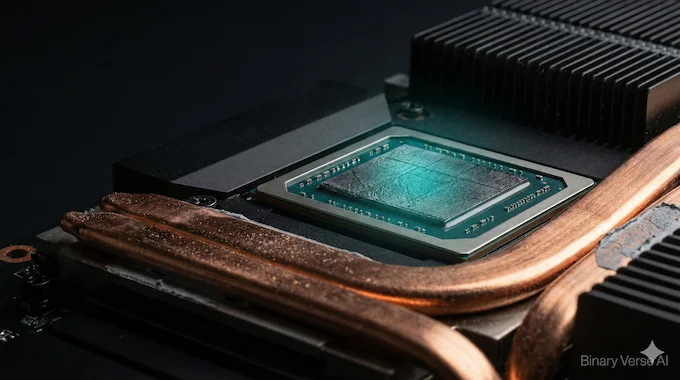
Before you download the weights, you need to know if your hardware can handle the heat. GLM-4.6V VRAM requirements vary wildly between the two versions.
6.1 GLM-4.6V-Flash (9B):
This is the consumer-friendly option.
- FP16/BF16: Requires approximately 18-20 GB VRAM. You need a 3090 or 4090.
- Quantized (Int4/Q4_K_M): Once GGUF is available, this will drop to roughly 6-8 GB VRAM. This makes it runnable on an RTX 3060, 4060, or even a laptop GPU. This is excellent news for edge computing.
6.2 GLM-4.6V (106B):
This is a beast.
- BF16: You are looking at over 200 GB of VRAM. This is 3x A100 territory.
- FP8: This compresses the model significantly, but you will still likely need around 110-120 GB VRAM. This puts it out of reach for single-card setups. You would need a dual A100 setup or a cluster of 3090s/4090s using NVLink or PCIe sharding to run this effectively.
If you don’t have the hardware, you are better off using the GLM API.
7. Coding Performance: Is It Safe for Production?
Whenever a new model drops, the first question is “Can it code?” I tested GLM-4.6V coding benchmarks specifically focusing on Python and Javascript. The verdict? It is a tale of two cities.
For Visual Coding (Frontend, CSS, HTML, React components), GLM-4.6V is top-tier. Its ability to see a design and write the code is matched only by Claude 3.5 Sonnet. The “Frontend Replication” feature we discussed earlier is robust.
However, for Backend Logic and complex algorithmic reasoning, I advise caution. In my testing—and corroborated by early user reports—the model occasionally hallucinates variable names in long functions. It has a tendency to duplicate class definitions if the context gets too long.
It is safe to use as a UI assistant. Do not use it as a backend architect without heavy human review. It is excellent at “Make this look like X” but average at “Refactor this database schema.”
8. Pricing Breakdown: The “Race to the Bottom”
Zhipu AI is aggressive. They are not trying to match OpenAI’s pricing; they are trying to undercut it to gain market share.
Here is the current pricing structure:
GLM-4.6V Model Pricing Overview
Quick look at GLM-4.6V and related models with input and output pricing per million tokens.
| Model | Input Price (per 1M tokens) | Output Price (per 1M tokens) | Notes |
|---|---|---|---|
| GLM-4.6V (106B) | $0.30 | $0.90 | Extremely competitive for a frontier model. |
| GLM-4.6V-Flash | Free | Free | Yes, you read that right. |
| GLM-4.6 (Text) | $0.60 | $2.20 | Standard text model. |
The GLM-4.6 pricing for the Flash model is the headline here. “Free” for input, output, and cached tokens. This is a clear play to get developers hooked on their ecosystem. If you are building an app with razor-thin margins, using the Flash model for your vision tasks is a no-brainer.
Even the 106B model at $0.30/1M input is significantly cheaper than GPT-4o. It makes high-volume document analysis (like processing thousands of invoices) economically viable in a way that wasn’t possible before.
9. Known Issues and Limitations
I believe in transparency. GLM-4.6V is impressive, but it is not magic. First, the Pure Text QA is weaker than specialized text models. Zhipu admits this in their report. They focused heavily on vision alignment, and as a result, the model’s ability to answer nuanced philosophy or literature questions without visual context has suffered slightly.
Second, there is an “Overthinking” loop. The model, perhaps in an attempt to be thorough, sometimes restates the answer or loops through its reasoning steps unnecessarily. This burns tokens (though less of an issue on the free Flash model) and adds latency.
Finally, Object Counting is still a struggle. While it can identify what is in an image, if you ask it to count 47 marbles in a jar, it will likely give you a confident, incorrect number. This is a known limitation of current Vision Transformers, and GLM-4.6V has not solved it.
10. Conclusion: Who Should Switch to GLM-4.6V?
We are seeing a fragmentation of the model market, and that is a good thing. We no longer need one model to rule them all.
If you are a Local User, you should absolutely download GLM-4.6V-Flash 9B. Once the GGUF quants hit, it will likely become the default vision model for local assistants. It is fast, free via API, and capable enough for 90% of daily tasks.
If you are a Developer building agents, the Native Multimodal Function Calling is a game changer. You can build flows that were previously impossible or too brittle to maintain. The “Free API” for Flash allows you to experiment without a credit card.
If you are an Enterprise, the 106B model offers a compelling alternative to GPT-4o for document processing, especially with that 128k context window. You can process entire quarters of financial data in one prompt for pennies.
GLM-4.6V may not be perfect, but it respects the one resource we can’t generate more of: our time. It cuts out the OCR middleman, it speeds up frontend prototyping, and it runs efficiently on the hardware we actually own.
Next Step: Would you like me to generate a specific Python script using the Zhipu AI SDK to demonstrate the Native Function Calling capability with a sample image?
Is GLM-4.6V-Flash free to use?
Yes. Zhipu AI has released the GLM-4.6V-Flash (9B) model with a free API tier for input, output, and cached tokens. This applies to the hosted version on the Z.ai platform, making it highly accessible for developers prototyping multimodal agents.
What are the VRAM requirements for running GLM-4.6V locally?
The GLM-4.6V-Flash (9B) requires approximately 18-20GB VRAM at BF16 (runnable on RTX 3090/4090) or 6-8GB VRAM if quantized to Int4 (runnable on RTX 3060). The larger 106B MoE model requires massive resources: ~120GB+ VRAM even at FP8 compression, necessitating multi-GPU setups like dual A100s.
Does GLM-4.6V support Llama.cpp and Ollama?
Not fully yet. As of December 2025, text-only support is available via workarounds in Llama.cpp (PR #16600). Full vision capabilities and official GGUF quantization are currently in “draft” status. Once merged, Ollama support is expected to follow immediately.
Is GLM-4.6V better than Qwen2-VL?
It depends on the task. Benchmarks show GLM-4.6V (106B) outperforms Qwen2-VL-72B in General VQA (88.8 vs 84.3) and Agentic Tool Use. However, Qwen2-VL currently retains a slight edge in complex logical reasoning puzzles and has more mature local deployment support.
What is Native Multimodal Function Calling?
Native Multimodal Function Calling is a feature in GLM-4.6V that allows the model to accept images directly as tool arguments. Unlike older models that convert images to text first (OCR) before acting, GLM-4.6V “sees” the UI or chart and triggers actions (like “click button” or “calculate”) based on the visual pixels directly.