

1. Introduction: Why This Model Is Suddenly Everywhere
Some model launches arrive like a press release. This one arrived like a bar fight. Within hours, people were arguing about MoE math, active parameters, and whether the model can actually land a clean PR without “fixing” your bug by deleting the test.
GLM-4.7-Flash sits in a very specific lane. It’s in the 30B class, tuned for low latency and high throughput, and positioned as the free-tier sibling of the larger GLM-4.7 line. That combination is why it spreads fast. It’s not just “good.” It’s usable, and usability is what turns a model into a habit.
Here are the headline benchmark numbers most discussions point to:
GLM-4.7-Flash Benchmark Comparison
Mobile-friendly view of headline scores across common evals.
| Benchmark | Flash | Qwen3-30B-A3B (Thinking) | GPT-OSS-20B |
|---|---|---|---|
| AIME 25 | 91.6 | 85.0 | 91.7 |
| GPQA | 75.2 | 73.4 | 71.5 |
| LiveCodeBench v6 | 64.0 | 66.0 | 61.0 |
| HLE | 14.4 | 9.8 | 10.9 |
| SWE-bench Verified | 59.2 | 22.0 | 34.0 |
| τ²-Bench | 79.5 | 49.0 | 47.7 |
| BrowseComp | 42.8 | 2.29 | 28.3 |
Benchmarks are the trailer, not the movie. This article is the movie. We’ll translate those numbers into practical decisions, compare GLM-4.7-Flash vs Qwen3 30B A3B, talk honestly about Nemotron 30B, and show a clean path to running it locally with vLLM, SGLang, or Transformers.
Table of Contents
2. What’s New: Positioning, And What It’s Actually For
The positioning is blunt. GLM-4.7-Flash is marketed as lightweight and efficient, designed for real-time use cases where latency matters. That already tells you how to evaluate it.
Don’t judge it like a chatbot. Judge it like an engine in a dev workflow:
- Fast edit loops, where response time decides whether you keep using it.
- High-frequency tasks, where “good enough” beats “brilliant but slow.”
- Agent steps, where the model must follow a plan, call tools, and return structured output.
This is also where z.ai glm shows up as a keyword and as a reality. Z.AI isn’t just shipping a model, it’s shipping an ecosystem. Access routes include free chat, API usage, and a packaging of “coding-first” access through the z.ai coding plan, which is pitched as a low-cost way to use the series inside popular coding tools.
My expert take is simple: this model’s real competition is friction. If setup is easy and latency is low, the Flash model becomes the default assistant you keep open. If setup is messy, you’ll drift back to whatever is already plugged into your editor.
3. The One Question People Keep Asking: Dense Or MoE, And What 30B-A3B Means
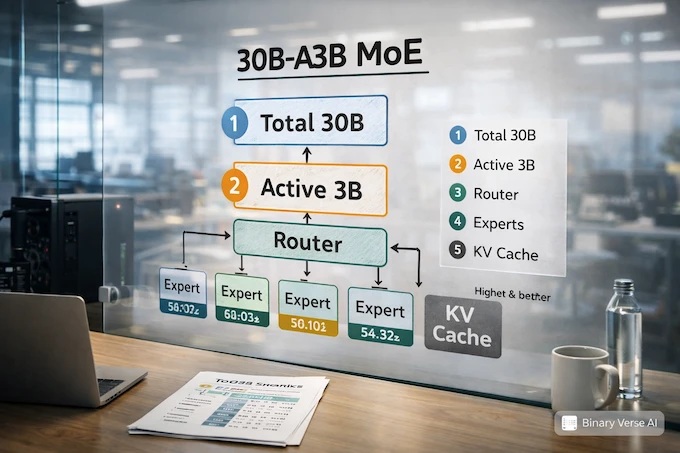
GLM-4.7-Flash is MoE, and the “30B-A3B” label is the key.
3.1 MoE Without The Mysticism
MoE models have many “experts,” but they don’t use all of them for each token. Routing picks a subset to activate. That’s why people separate two numbers:
- Total parameters, the full size of the model.
- Active parameters, what actually participates per token.
So 30B-A3B is commonly read as “about 30B total, about 3B active.” Active parameters correlate with per-token compute, and that’s why MoE can feel fast at a headline size that would otherwise be expensive.
3.2 What A3B Feels Like In Real Use
Three practical implications matter for devs:
- Throughput can be excellent, especially in short interactive bursts.
- Memory planning still matters, because weights, KV cache, and long context can eat VRAM quickly.
- Quality can be uneven, because expert routing makes some behaviors sharp and some behaviors oddly brittle.
That’s not a flaw. It’s an instruction. Test it in your workflow.
4. Benchmarks: What The Numbers Predict, And What They Don’t
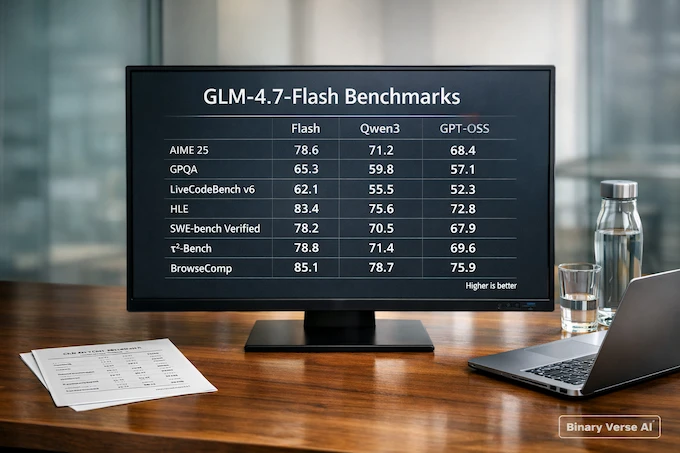
The best way to use benchmarks is to read them as hints about behavior.
- LiveCodeBench often tracks “solve a clean coding task in a controlled setting.”
- SWE-bench Verified pressures repo navigation, patch discipline, and real test passing.
- τ²-Bench and BrowseComp are closer to agentic work, planning plus tools.
- AIME, GPQA, HLE are general reasoning stress tests.
A useful trick is to look at deltas, not just raw scores:
GLM-4.7-Flash Vs Qwen3: Benchmark Deltas
Quick read on where GLM-4.7-Flash gains or loses, and what it means.
| Benchmark | Flash Minus Qwen3-30B-A3B | Practical Interpretation |
|---|---|---|
| AIME 25 |
+6.6
Gain | Stronger puzzle-style reasoning pressure |
| GPQA |
+1.8
Gain | Slight edge on knowledge-heavy reasoning |
| LiveCodeBench v6 |
-2.0
Drop | Qwen3 may edge it on sandbox coding |
| HLE |
+4.6
Gain | Better mixed reasoning under stress |
| SWE-bench Verified |
+37.2
Gain | Much stronger repo-level patch behavior |
| τ²-Bench |
+30.5
Gain | Stronger multi-step tool execution |
| BrowseComp |
+40.5
Gain | Better web-style browsing and tool tasks |
If you ship software in real repos, that SWE-bench Verified gap is not a rounding error. It’s the whole point.
4.1 A Quick Reality Filter For These Scores
A simple way to keep yourself honest is to ask, “What does a one point change buy me?” On AIME or GPQA, a few points often means the model is slightly better at staying coherent under pressure. That can help, but it doesn’t automatically translate into better diffs. This is why GLM-4.7-Flash’s benchmark profile is more interesting for working engineers than a single leaderboard rank.
On repo benchmarks like SWE-bench Verified, the scoring pressure is closer to real life. The model must read existing code, make an edit that compiles, and satisfy tests that don’t care about your confidence. That’s why big gaps here matter more than small swings on puzzle benchmarks.
For tool benchmarks, treat them as a proxy for patience. A model that can call tools cleanly tends to handle “do X, then do Y, then report Z” without forgetting step two. If your workflow includes search, build logs, or structured outputs, those scores predict fewer broken loops.
5. Reality Check: Verify Coding Quality In 30 Minutes
This is the part that saves you days of reading debates.
If you’re comparing GLM-4.7-Flash, qwen3 30b, and qwen3 30b coder, run a short evaluation that matches your work. Here’s a tight loop that fits in half an hour.
5.1 Task Set, Five Tests That Don’t Lie
- Failing test bugfix Provide the failing output and the relevant files. Ask for a minimal patch. No refactors unless needed.
- Small feature + tests Add a flag, a param, or an enum behavior. Require tests and a short explanation.
- Behavior-preserving refactor Rename, extract, simplify. Tests must still pass. This catches models that rewrite for fun.
- Constraint adherence “No new dependencies,” “keep the API stable,” “do not change output format.” Re-ask the constraint mid-task and see if it sticks.
- Tool workflow (optional) If your environment supports it, ask the model to search docs, inspect files, apply a patch, then summarize. This is where opencode z.ai style setups become relevant.
5.2 What “Good” Looks Like
Good is boring. The patch is small. The test passes. The explanation matches the diff. The model asks one smart clarifying question, not five, and it doesn’t invent files you didn’t provide.
Bad is also boring, just in a different way. Lots of confident prose, fragile code, and a “solution” that sidesteps the problem.
6. Flash Vs Qwen3 30B A3B: A Workflow-First Comparison
People love to crown winners. Better approach: decide what kind of work you’re doing.
6.1 Pick GLM-4.7-Flash If You Care About Repo Work
If your day includes real codebases, failing tests, and PR-sized changes, GLM-4.7-Flash looks built for that. The SWE-bench Verified score signals patch discipline. The τ²-Bench and BrowseComp results hint at better agent loops, which matters if you want the model to execute steps instead of just describing them.
6.2 Pick Qwen3 If You Live In Standalone Problems
If your primary usage is clean, self-contained coding tasks, Qwen3’s edge on LiveCodeBench can show up as snappier solutions. It can also align with qwen3 30b coder if your entire workflow is code generation and you want a specialized baseline.
6.3 My Rule Of Thumb
Use GLM-4.7-Flash as your “default repo mechanic.” Use Qwen3 as your “contest solver.” If you only want one, keep the one that produces fewer annoying diffs in your 30-minute eval.
7. Flash Vs Nemotron 30B: Speed, Context, And Agent Stamina
Nemotron 30B is the other name that often enters the same buying decision, especially for long sessions and agentic workflows. The right comparison isn’t vibes. It’s stamina.
7.1 The Two Failure Modes
- Short-session failure: the model is smart but slow, so you stop using it.
- Long-session failure: the model starts strong, then loses threads, forgets constraints, or drifts into plausible filler.
GLM-4.7-Flash is clearly optimized for the first problem, speed and throughput. Whether it resists the second problem depends on your context length, retrieval setup, and how you structure prompts. Test long sessions directly, especially if you plan to lean on a 200K context ceiling.
8. How To Run It Locally (vLLM, SGLang, Transformers)
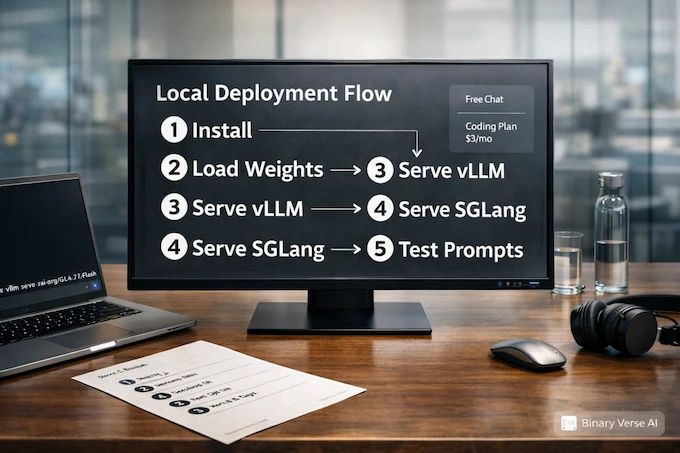
Local deployment is where the model stops being a curiosity and becomes infrastructure.
8.1 vLLM Quickstart
pip install -U vllm --pre --index-url https://pypi.org/simple --extra-index-url https://wheels.vllm.ai/nightly
pip install git+https://github.com/huggingface/transformers.git
MODEL="zai-org/GLM-4.7-Flash"
vllm serve "$MODEL" --tensor-parallel-size 4 --served-model-name glm-4.7-flash8.2 SGLang Quickstart
pip install git+https://github.com/sgl-project/sglang.git
pip install git+https://github.com/huggingface/transformers.git
python3 -m sglang.launch_server --model-path "$MODEL" --tp-size 4 --served-model-name glm-4.7-flash --port 80008.3 Transformers Minimal Snippet
from transformers import AutoModelForCausalLM, AutoTokenizer

MODEL = "zai-org/GLM-4.7-Flash"
tok = AutoTokenizer.from_pretrained(MODEL)
mdl = AutoModelForCausalLM.from_pretrained(MODEL, device_map="auto")

inputs = tok("hello", return_tensors="pt").to(mdl.device)
out = mdl.generate(**inputs, max_new_tokens=80, do_sample=False)
print(tok.decode(out[0], skip_special_tokens=True))If you’re chasing “GLM-4.7-Flash local deployment” for production, the next steps are predictable: pick a quant, cap context, and load test with your real prompts.
9. Hardware Guide: VRAM Tiers, Quantization, And The 200K Context Reality
Here’s the honest version.
9.1 VRAM Tiers That Map To Real Expectations
- 12GB (RTX 3060 class): workable with heavier quantization and shorter contexts. Great for experimentation.
- 24GB: the practical sweet spot for many local setups, especially if you keep context reasonable.
- 48GB+: room for higher precision, longer context, and better concurrency.
9.2 Quantization Trade-offs That Actually Show Up
Quantization can change behavior. Not always in obvious ways. The most common “gotchas” are weaker constraint adherence and shakier multi-step edits. If your workflow is mostly short suggestions, quantize aggressively. If your workflow is multi-file patches, hold quality higher.
9.3 Long Context, Don’t Overpromise
A huge context limit is useful, but it’s not a guarantee of perfect recall. The reliable strategy is still retrieval plus a curated prompt. Don’t paste an entire repo and pray. Feed the model what it needs, then iterate.
10. Pricing And Access: z.ai Subscription, Coding Plan, And API
Access is split into three lanes:
GLM-4.7-Flash is usually the simplest way to start testing the ecosystem, because it’s positioned as the fast, accessible tier.
- Free-tier usage for quick testing and everyday chat.
- API access for building integrations and internal tools.
- The z.ai coding plan, which is pitched as a low-cost way to use these models inside coding assistants, starting around $3 per month.
If you want the “model as a backend” experience, the coding plan is the relevant product surface. That’s also where you’ll see mentions like opencode z.ai, because the ecosystem is moving toward swappable model backends inside editors.
11. Ecosystem Status: GGUF, llama.cpp, Ollama, LM Studio
The short version: if you need reliability today, use the serving stacks that explicitly support the model family. Watch the ecosystem tools as they mature, but don’t block your work on a converter landing “soon.”
My practical advice: pick one runtime, get it stable, and version-pin your stack. Model ops are a hobby until they’re pinned.
12. Verdict: Is GLM-4.7-Flash The Best 30B Coding Model?
GLM-4.7-Flash is a strong candidate for “default 30B coding assistant,” but only if it wins in your workflow. That’s the whole criterion.
12.1 The Fast Decision Tree
- You want repo-level patches, tests, and disciplined diffs, start with GLM-4.7-Flash.
- You want the sharpest standalone solutions, start with Qwen3 30B A3B, and consider qwen3 30b coder.
- You want long agent sessions, compare GLM-4.7-Flash with your Nemotron 30B setup by testing long context and tool loops, not by reading claims.
12.2 The CTA That Actually Helps
Do this today: run the 30-minute eval, save the diffs, and keep a tiny scorecard. After a week you’ll know if GLM-4.7-Flash is saving you time or creating work. If it’s saving time, wire it deeper into your editor and CI. If it’s creating work, swap it out fast and move on.
How much does Z.ai coding cost?
Z.AI’s z.ai coding plan is positioned as starting from $3/month for AI-powered coding in popular tools. Exact cost can vary by plan tier and usage, but the headline entry point is meant to be cheap and predictable for daily coding.
Is Z.ai free or paid?
Both. Z.ai offers a free chat experience for trying models, and also paid options like the z.ai subscription routes, including the Coding Plan and API usage depending on which model you use and how you use it.
Is Z.ai good for coding?
Z.ai positions z.ai glm models, including GLM-4.7-Flash, around coding workflows and highlights stronger multi-step execution and tool-style usage. In practice, it’s best for repo-style tasks when it produces small, test-passing diffs, not just pretty code blocks.
How much VRAM do you need for a 30B model?
It depends on precision (BF16/FP16 vs quantized), context length, and your backend. MoE “A3B active” can feel faster per token, but VRAM still gets hit by weights + KV cache, especially at long context.
VRAM
What You Can Expect (practical)
8GB
Short contexts, heavier quants, experimentation only
12GB
Usable for short coding sessions with strong quantization
16GB
Comfortable for more workflows, moderate contexts
24GB
Sweet spot for local dev, better contexts and stability
What does A3B mean?
A3B usually means roughly 30B total parameters with about 3B active per token (Mixture-of-Experts behavior). Translation: you get “big model coverage” with “smaller per-token compute,” which is why GLM-4.7-Flash can feel fast while still benchmarking like a bigger class.