

1. Introduction: The Return of Open Source Coding
If you have been lurking on local LLM subreddits or monitoring Hugging Face leaderboards lately, you have probably sensed the shift. The sentiment is palpable. After a period of relative quiet, Mistral AI is “so back.”
For the last few months, the coding agent space has been dominated by proprietary giants. We have all been paying our subscriptions to Anthropic for Claude Sonnet 4.5 or waiting on OpenAI’s next move. But the release of Devstral 2 changes the calculus. We aren’t just looking at another incremental update here. We are looking at a fundamental shift in how open-weights models handle the “vibe coding” phenomenon, that increasingly common workflow where we code by intuition, natural language, and tab-completion rather than raw syntax memorization.
Mistral has dropped two new models that target this exact behavior. First, there is the flagship Devstral 2, a massive 123B parameter dense model that aims to dethrone the proprietary kings. Then, perhaps more interestingly for the home lab enthusiasts, there is Devstral Small 2, a 24B parameter unit that punches so far above its weight class it is practically defying the laws of model scaling.
Here is the kicker that has everyone scrambling to update their API keys: it is currently free.
Mistral is offering these models via their API for zero dollars during the beta period. They are directly challenging the dominance of OpenAI and Anthropic by commoditizing the intelligence needed for agentic coding. Whether you are an enterprise developer looking to cut token costs or a hobbyist wanting to run Devstral 2 locally, this release forces us to ask a hard question. Do we still need to pay $20 a month for state-of-the-art coding assistance?
Let’s dig into the architecture, the benchmarks, and the hardware reality of running these beasts on your own rig.
Table of Contents
2. What is Devstral 2? (123B vs. Small 24B)

To understand why this release matters, we have to look under the hood. Most recent large language models have leaned heavily on Mixture-of-Experts (MoE) architectures to keep inference costs low while keeping parameter counts high. Mistral’s own Mixtral 8x7B was the poster child for this efficient approach. Devstral 2 takes a different, heavier path.
2.1 The 123B Dense Monster
The flagship Devstral 2 is a 123B parameter dense model. In simple terms, this means every single token you generate runs through all 123 billion parameters. There is no routing to smaller experts. This is a brute-force approach to intelligence that typically yields better reasoning stability and instruction following at the cost of being incredibly heavy to run.
It ships with a 256k context window, which is essentially table stakes for modern coding agents that need to ingest entire repositories to understand the dependency graph of your project. Being a dense model, it’s “smarter” per token than an equivalent MoE, making it particularly adept at holding complex architectural constraints in memory without hallucinating libraries that don’t exist.
2.2 The Community Favorite: Devstral Small 2 (24B)
While the 123B model is impressive, the real excitement in the open source community is focused on Devstral Small 2.
At 24 billion parameters, this model sits in a fascinating sweet spot. It is built on the same architecture as the Ministral 3, using the rope-scaling techniques introduced by Llama 4. It is compact enough to be private but large enough to reason. It is designed explicitly for local, private use. If you are building an open source coding agent that needs to run on-premise without leaking IP to a cloud provider, this is the model you have been waiting for.
It rivals models like GLM 4.6 and Qwen 2.5 Coder in benchmarks, yet it retains a footprint small enough to fit on high-end consumer hardware. This isn’t just a distilled version of the big model; it’s a purpose-built engine for high-velocity coding tasks where latency matters just as much as accuracy.
3. Benchmarks Analysis: Can It Beat Claude?
We have to address the elephant in the room. Every time a new coding model drops, the first thing we do is check it against Claude 4.5 Sonnet. For a long time, nothing could touch it.
Let’s look at the data. Devstral 2 scores a 72.2% on SWE-bench Verified. This is a serious score. To put that in perspective, it is effectively trading blows with DeepSeek V3.2 and landing well ahead of many GPT-4 class models from earlier this year.
Devstral 2 Benchmarks vs. Competitors
| Model | Size (Params) | SWE-bench Verified | Terminal Bench 2 |
|---|---|---|---|
| Devstral 2 | 123B | ||
| Devstral Small 2 | 24B | ||
| DeepSeek V3.2 | 671B | ||
| Claude Sonnet 4.5 | Proprietary | ||
| GLM 4.6 | 455B | ||
| Qwen 3 Coder Plus | 480B |
3.1 The Cost Efficiency Argument
If you look strictly at the win rate, Claude Sonnet 4.5 still holds the crown with 77.2%. It is the better reasoner. In head-to-head human preference testing scaffolded through Cline, Claude is still preferred for the most complex, multi-file architectural refactors.
But engineering is about trade-offs. Devstral 2 is not trying to be smarter than Claude at any cost. It is trying to be smart enough while being drastically cheaper. The 123B model is roughly 7x cheaper to run at scale than the proprietary leaders.
For 95% of tasks—writing boilerplates, fixing syntax errors, generating unit tests, or refactoring a single class—the difference between 72.2% (Devstral) and 77.2% (Claude) is negligible to the user. But the difference in API bills is massive.
3.2 Human Preference Nuance
Interestingly, internal testing shows Devstral 2 actually beating DeepSeek V3.2 in human evaluations with a 42.8% win rate. This validates the “Dense vs. MoE” hypothesis. Even though DeepSeek is technically larger (671B MoE), the dense nature of Devstral 2 seems to provide a more consistent, less “jumpy” user experience that developers prefer when they are in the flow state.
4. Mistral Vibe CLI: The Open Source Coding Agent
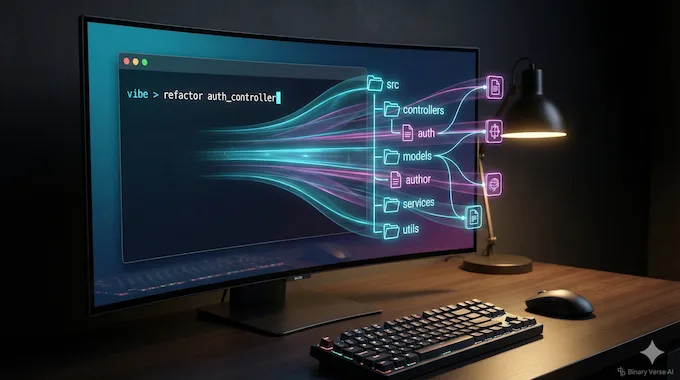
The models are only half the story. The way we consume these models is changing. We are moving away from chat interfaces (ChatGPT) and towards integrated development environments (Cursor) and agentic loops.
Mistral has released the Mistral Vibe CLI to capture this shift. Think of it as an open source coding agent that lives in your terminal. It is a direct competitor to tools like “Claude Code” or the “Cursor” composer, but it is built for the hacker who lives in the command line.
The Vibe CLI isn’t just a chatbot. It is project-aware. When you run it, it scans your file structure. It looks at your .gitignore. It checks your git status. It understands the context of your repository before you even type a prompt.
It supports multi-file editing and diff orchestration. You can ask it to “refactor the authentication middleware and update all routes that depend on it,” and it will plan the edit, apply the changes across multiple files, and present you with a diff to review. It is a “headless” developer that works alongside you.
For those of us who prefer open tooling, this is a breath of fresh air. It supports the Agent Communication Protocol and integrates with Zed, positioning it as the open alternative to the increasingly walled garden of VS Code forks.
5. Hardware Requirements: Can You Run It Locally?
This is the question that decides whether you download the weights or just stick to the API. Can you run Devstral 2 locally?
The 123B Reality Check
Let’s be brutal about the 123B model. It is a dense model. It does not compress well without losing significant IQ. To run Devstral 2 (123B) in FP8 (8-bit precision), you need roughly 130GB of VRAM just to load the weights, plus more for the KV cache (context).
This is not running on your MacBook Pro. It’s not running on a dual 4090 setup. You are in the territory of needing 3x RTX 6000 Ada generation cards or a cluster of 4x H100s. For the vast majority of local users, the 123B model is “open weights” in name, but “server grade” in reality. Reddit threads are already full of disappointment on this front, but physics is physics.
5.1 The 24B Sweet Spot
This is where Devstral Small 2 shines. A 24B parameter model in 4-bit quantization (Q4_K_M) takes up roughly 14-16GB of VRAM. This fits comfortably on a single NVIDIA RTX 3090 or 4090 (24GB). It flies on a Mac Studio with M2/M3 Max chips (32GB+ RAM).
If you are a Mac user with 64GB of unified memory, you can even run the 24B model at 8-bit precision (FP8) with a massive context window, giving you near-production grade performance completely offline. This makes Devstral Small 2 the undisputed king of local agents right now. It is smart enough to be useful and small enough to be real.
6. Quick Guide: How to Install Mistral Vibe & Devstral
Getting up and running is surprisingly simple, thanks to the modern Python tooling Mistral is adopting. They are pushing uv (a super-fast Python package manager), which is a great signal that they understand modern dev workflows.
6.1 CLI Installation
To install the Mistral Vibe CLI, you can use a simple curl command if you are on Linux or macOS:
curl -LsSf https://mistral.ai/vibe/install.sh | bashOr, if you prefer the Pythonic way using uv:
uv tool install mistral-vibe6.2 Configuration
Once installed, run vibe in your terminal. The first time you run it, it will look for an API key. Since Devstral 2 is currently free, you just need to create an account on the Mistral console and grab a key.
The tool creates a config file at ~/.vibe/config.toml. This is where the magic happens. You can point the endpoint to a local server (like vLLM or Ollama) later, allowing you to swap the backend from Mistral’s API to your local machine seamlessly.
6.3 IDE Integration
If you are asking “What about VS Code?”, Mistral is pushing users toward Zed, the high-performance Rust-based editor. Vibe runs as a native extension inside Zed. It’s a bold move to bypass VS Code, but given Zed’s growing popularity among performance-obsessed developers, it fits the brand.
7. Local Deployment with Ollama & Llama.cpp
For those who want to disconnect the internet cable and truly run Devstral 2 locally, the community has already done the heavy lifting.
The GGUF weights for Devstral Small 2 are already surfacing on Hugging Face. You should look for repositories by bartowski or the official Mistral quantization if available. These legends usually have the quants up within hours of release.
To run the 24B model, you will likely use llama.cpp or Ollama.
Ollama Command (once the model is pushed to the library):
ollama run devstral-small-2If you are running raw llama.cpp to squeeze every drop of performance out of your GPU, the command looks something like this:
./llama-cli -m devstral-small-2-Q4_K_M.gguf -p "You are a coding expert." -n -1 -ctx 8192 -ngl 99The -ngl 99 flag offloads all layers to the GPU, which is crucial for the speed required for “vibe coding.” You want the completions to feel instant, not like a slow drip.
8. The Licensing Debate: Apache 2.0 vs. Modified MIT
No open source release is complete without a licensing controversy. Devstral 2 (the big 123B model) is released under a “Modified MIT” license.
This has caused some friction. The modification essentially restricts use in a manner that competes directly with Mistral or violates third-party rights. It is designed to stop a competitor (like Amazon or Microsoft) from hosting the model as a paid service without paying Mistral. For 99% of developers, researchers, and companies building on top of the model, this is fine.
However, Devstral Small 2 is released under Apache 2.0. This is the gold standard. It is truly open, permissive, and commercially safe. You can fine-tune it, merge it, distribute it, and build products on it without looking over your shoulder. This distinction is vital. Mistral is protecting their flagship IP while donating the efficient, high-utility model to the commons.
9. Pricing & Availability
Currently, we are in the “golden era” of the beta. It is free. But we know this won’t last forever. Mistral has released the intended pricing structure, and it is aggressive.
Future Pricing Structure
Devstral 2 Pricing Comparison
| Model | Input Cost (per 1M tokens) | Output Cost (per 1M tokens) |
|---|---|---|
| Devstral 2 (123B) | $0.40 | $2.00 |
| Devstral Small 2 (24B) | $0.10 | $0.30 |
| GPT-4o | $2.50 | $10.00 |
| Claude 3.5 Sonnet | $3.00 | $15.00 |
You are reading that right. Devstral 2 is aiming to undercut the current leaders by a massive margin. It is roughly 10% of the cost of Sonnet. Even if it is only 90% as good, the price-to-performance ratio makes it a no-brainer for high-volume automated workflows, CI/CD pipelines, and background agents.
10. Conclusion: Is Devstral 2 the New King of Code?
So, is Devstral 2 the new king? If you define “king” by pure, raw reasoning capability on the hardest logic puzzles, then no. Claude Sonnet 4.5 likely holds onto that title for a little longer.
But if you define leadership by utility, accessibility, and the “vibe” of development, Devstral 2 is a massive leap forward. It brings high-level agentic coding capabilities to the open source community. It offers a 24B model that makes local AI coding genuinely viable for the first time. And it does it all at a price point, currently $0, that demands attention.
The combination of Mistral AI models and the new Vibe CLI suggests a future where the coding agent isn’t a mystical oracle in the cloud, but a standard utility in your terminal, as common as grep or git.
Here is my suggestion: Don’t just read the benchmarks. Go install the Mistral Vibe CLI, pull down the Devstral Small 2 weights, and try to refactor a messy module in your current project. The API is free right now, so you have absolutely nothing to lose but your old, manual coding habits.
Go get the vibe.
- https://mistral.ai/news/devstral-2-vibe-cli
- https://docs.mistral.ai/models/devstral-small-2-25-12
- https://mistral.ai/pricing#api-pricing
- https://docs.mistral.ai/models/devstral-2-25-12
- https://huggingface.co/mistralai/Devstral-Small-2-24B-Instruct-2512
- https://huggingface.co/mistralai/Devstral-2-123B-Instruct-2512
Is Devstral 2 free to use?
Yes, Devstral 2 is currently free via the Mistral API during its beta period. Once the free period ends, the API pricing will be set at $0.40 per 1M input tokens for the large model and $0.10 for Devstral Small 2. However, the Devstral Small 2 (24B) model is Open Source (Apache 2.0), meaning you can always run it for free on your own local hardware without paying any API fees.
Can I run Devstral 2 locally on my GPU?
You can run Devstral Small 2 (24B) on consumer GPUs, but not the 123B model. The Devstral Small 2 model fits comfortably on a single NVIDIA RTX 3090/4090 (24GB VRAM) or a Mac Studio with 32GB+ RAM. The flagship Devstral 2 (123B) is a “Dense” model (not MoE), meaning it is too heavy for consumer hardware and typically requires a cluster of 4x H100 GPUs to run effectively.
How does Devstral 2 compare to Claude Sonnet 4.5?
evstral 2 is a cost-efficient alternative that offers ~93% of Claude’s performance for 10% of the price. In SWE-bench Verified tests, Devstral 2 scores 72.2% compared to Claude Sonnet’s 77.2%. While Claude still holds a slight edge in complex reasoning, Devstral 2 is significantly cheaper (7x less per token) and features an open-weight option, making it the preferred choice for high-volume automated agents.
What is the Mistral Vibe CLI?
Mistral Vibe CLI is an open-source “coding agent” that lives in your terminal. It acts as a project-aware developer tool that scans your entire codebase, git status, and file structure to perform multi-file edits automatically. Unlike proprietary tools like “Claude Code” or “Cursor,” Mistral Vibe is fully open-source, supports local models, and integrates natively with the Zed editor.
Is Devstral 2 actually Open Source?
It depends on which model you choose. Devstral Small 2 (24B) is released under the Apache 2.0 license, making it fully open source for commercial and private use. The larger Devstral 2 (123B) is released under a Modified MIT license, which allows most uses but restricts large competitors (like cloud providers) from hosting it commercially without an agreement.