Updated: 21 September, 2026
Introduction
AI accelerators are specialized processors designed to speed up AI workloads such as neural-network training and inference. GPUs, TPUs, NPUs, FPGAs and custom ASICs all fall under this category, using parallel compute, fast memory and lower-precision arithmetic to run AI models faster and more efficiently than a general-purpose CPU.
This guide explains how AI accelerators work, the main types of AI accelerator hardware, AI accelerator architecture, AI accelerator vs GPU, and how to choose hardware for training, inference, PCs, edge devices and data centers in 2026.
Table of Contents
1. What Is an AI Accelerator?
1.1 The Short Definition, In Human Language
What is an AI accelerator? It’s specialized compute hardware built to run AI workloads, especially neural networks, far faster and more efficiently than a general CPU. In practice, these devices act like co-processors, taking on inference and training so the CPU can stick to orchestration.
1.2 Why CPUs Struggle, And Why That’s Not A Moral Failing
CPUs execute instructions like a careful chef, one step at a time. Neural nets want a thousand sous-chefs chopping in parallel. The core operations are repetitive and matrix-heavy, and doing them sequentially is painfully slow. That’s the gap AI accelerators were designed to fill.
Table 1. Where Accelerators Show Up, And What They’re Doing
AI Accelerators, Where They Show Up
A quick map of real-world placement, workloads, and why it matters.
| Where They Live | What They Usually Run | Why The Accelerator Matters |
|---|---|---|
| Phone, tablet, laptop | Photo enhancement, voice, on-device assistants | Low power inference, fast response |
| Desktop workstation | Local LLMs, vision models, creative tools | More throughput without melting the room |
| Data center | Training, large-scale inference | Massive parallel compute, high bandwidth memory |
| Edge devices | Cameras, sensors, robotics | Real-time decisions without cloud latency |
| Vehicles | Perception and planning | Tight latency budgets, safety-critical loops |
2. How AI Accelerators Speed Up AI Workloads
An accelerator doesn’t “do AI.” It does the math that makes AI feasible. Think matrix multiplication and friends, repeated billions of times. In a transformer, every attention head is basically a linear algebra factory.
When people say AI accelerators “speed up LLMs,” the honest version is: they compute tensor operations quickly, and they do it in parallel so the model’s layers don’t stall waiting for the previous layer to finish.
The other half of the job is moving data. Even the fanciest compute unit is a paperweight if it can’t fetch weights and activations fast enough. That compute-plus-data loop is the whole game.
3. Key Characteristics Of AI Accelerators
Marketing loves one number. Engineering lives in six.
3.1 Parallel Compute Units
More cores, more tensor engines, more lanes, whatever the vendor calls it. The point is simple: many small operations can run at once.
3.2 Memory Bandwidth
If your model is memory-bound, extra compute won’t help. Bandwidth decides whether your accelerator is sprinting or stuck in traffic.
3.3 Precision Support
Modern AI leans on FP16, BF16, and INT8 because it’s “good enough” numerically and wildly better for throughput and energy.
3.4 Interconnect
In a single box, this is PCIe or something NVLink-like. In a cluster, it’s the fabric that lets multiple devices behave like one big machine.
3.5 Software Stack
Drivers, kernels, compilers, graph optimizers. Software is not an accessory, it’s part of the performance envelope.
3.6 Power And Thermals
Performance-per-watt is not a footnote. It’s the difference between “we can deploy this” and “we need a new data center.”
4. Types of AI Accelerators: GPU, TPU, NPU, FPGA and ASIC
If you’re still asking what are AI accelerators, the answer is that the label covers several chip families, and each one grew up in a different ecosystem.
What are accelerators in the wild? Usually one of these buckets:
4.1 GPUs
General parallel processors that became the default training engine because they scale, and the software ecosystem is deep. GPUs are a major class of AI accelerators.
4.2 TPUs
Google’s custom ASICs tuned for matrix operations and large-scale deployments.
4.3 NPUs and Mobile AI Accelerators
Smaller, power-focused cores for running neural networks on-device.
4.4 FPGAs
Reconfigurable logic that can be shaped around a workload, handy when you want low latency and the option to evolve hardware behavior with firmware.
4.5 Dedicated ASICs
Purpose-built AI chips that trade flexibility for efficiency and speed, from cloud training parts to tiny edge modules.
5. AI Accelerator vs GPU: What’s the Difference?
Let’s untangle a common argument before it derails your meeting.
Yes, a GPU is an AI accelerator. It accelerates AI workloads, and it does it well. The phrase AI accelerator vs gpu usually means “a GPU versus a non-GPU accelerator,” like a TPU, NPU, or custom ASIC, where the architecture and software stack are built more narrowly around neural nets.
If you’re comparing AI accelerator vs gpu, you’re really comparing systems: toolchains, kernels, memory behavior, interconnects, and operational maturity. The chip matters, but the platform matters more.
6. How AI Accelerators Work: Compute, Data Movement and Precision
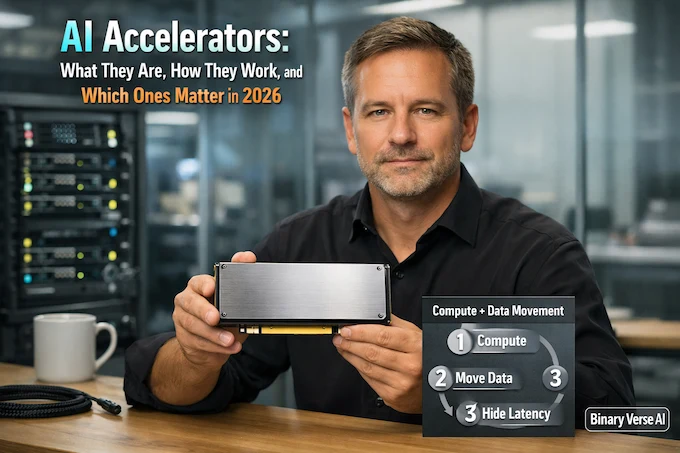
Here’s the mental model that will save you from most benchmark wars:
- Compute: Multiply, add, apply activation, repeat.
- Move data: Fetch weights, stream activations, write outputs.
- Hide latency: Overlap transfers with compute so units stay busy.
That’s it. The “secret sauce” is how aggressively the hardware can keep the compute units fed, and how cleverly the software compiles your model into efficient kernels.
Reduced precision is the other quiet hack. When you drop from 32-bit floats to 16-bit or 8-bit, you get more operations per clock and better energy efficiency, often without losing accuracy in real deployments.
7. AI Accelerator Architecture: Compute, Memory and Interconnect

AI accelerator architecture sounds like a PhD topic. It doesn’t have to be. You can think in four layers.
7.1 Compute Tiles
Tensor cores, systolic arrays, MAC units. They are all different flavors of “do lots of multiply-accumulate operations quickly.”
7.2 Memory Hierarchy
On-chip scratchpads and caches, then fast external memory like HBM or GDDR, then the rest of the system. A good design minimizes expensive trips off-chip.
7.3 Interconnect
Within a machine, you want enough bandwidth to avoid turning multi-device training into a synchronization tax. Across machines, you want a network that behaves like a predictable extension of memory.
7.4 Software As Architecture
If the compiler can’t fuse operations, if kernels are slow, if the runtime can’t schedule, the silicon doesn’t matter. That’s why the same nominal hardware can feel fast in one framework and oddly sluggish in another.
8. TOPS Vs TFLOPS

TOPS and TFLOPS are not lies. They’re just incomplete truths.
TOPS usually implies low-precision integer operations, often INT8. TFLOPS usually implies floating point, often FP16 or FP32. Both can be useful, and both can be wildly misleading if you don’t ask: at what precision, under what sparsity assumptions, with what memory bandwidth?
A better comparison checklist is boring and effective:
- Memory bandwidth, plus effective bandwidth in real kernels
- Supported precisions (FP16, BF16, INT8, sometimes FP8)
- Model fit, which means memory capacity plus overhead
- Throughput versus latency behavior
- Real benchmarks that match your model family
If you’re buying AI accelerator hardware, treat spec sheets like resumes. They’re curated. Ask for references.
9. AI Accelerators for Training, Inference, PCs and Edge
The word “examples” tends to trigger listicles. Let’s stay practical.
9.1 Data Center Training
This is where massive GPUs, TPUs, and big ASICs live, often in clusters. Training a large model is mostly about scale and stability, and it’s only feasible by distributing work across many accelerators.
9.2 AI Inference Accelerators
Inference is a different sport. You care about cost per token, tail latency, batching efficiency, and how well your stack quantizes. Many AI accelerators built for inference look unimpressive on FLOPS, then quietly win on watts and dollars.
9.3 Local AI On PCs
Running models locally is a mix of fun and pragmatism. You get privacy and lower cloud bills, and you also get to learn why VRAM is the real currency. This is the zone where discrete PC AI accelerators show up as either GPUs, or niche cards designed around specific inference stacks.
9.4 Edge Vision And Robotics
Edge is where every watt is precious. You’re often doing computer vision, sensor fusion, and lightweight language. Here, AI accelerators earn their keep by avoiding cloud round-trips and hitting tight latency budgets.
10. Who Makes AI Accelerators
The landscape is broad, and it’s not just the usual suspects. AI accelerator chips now come from platform giants, merchant silicon vendors, and edge specialists, each optimizing for a different mix of cost, control, and deployment reality.
At the high end, GPU vendors ship flagship parts, and cloud companies build internal accelerators to control cost and supply. On-device, phone and PC makers increasingly integrate NPUs directly into their systems. The Major AI accelerator vendors and platform companies include NVIDIA, AMD, Intel, Google, Apple and others developing GPUs, TPUs, NPUs and custom silicon for cloud, PC and edge workloads.
If you’re tracking AI accelerator chip manufacturers, it helps to categorize them:
- Platform owners: They build chips to run their own services efficiently.
- Merchant silicon vendors: They sell to everyone, and they win with ecosystems.
- Edge specialists: They optimize for power, latency, and deployment constraints.
A quick note on amd AI accelerators: AMD plays in both GPUs and data center AI chips, and the story there is less about raw compute slogans and more about how well the software stack and interconnect strategy meet your specific training or inference workflow.
11. Integrated vs Discrete AI Accelerator Hardware
“Discrete” is the key word. It means the accelerator is a separate piece of hardware, not baked into the CPU package.
11.1 Integrated Vs Discrete
Integrated NPUs are great for everyday features, and they sip power. Discrete PC AI accelerators tend to focus on heavier models, higher memory capacity, or better sustained throughput.
11.2 The AI Accelerator Card
An AI accelerator card is the physical form factor you plug into a PCIe slot. Sometimes it’s a GPU. Sometimes it’s a dedicated inference card. The practical difference is often software support and memory, not just the silicon.
11.3 Where Discrete Cards Win, And Where They Lose
They win when the workload is predictable, the model fits, and you can keep the pipeline busy. They lose when you need a broad ecosystem, fast iteration, and compatibility with every random model architecture that shows up on GitHub at 2 a.m.
12. How to Choose AI Accelerator Hardware
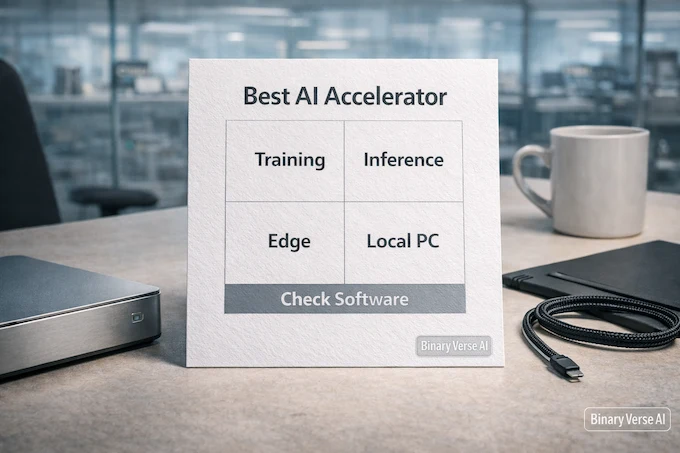
“Best AI accelerators” is a tempting phrase, and it’s also a trap. Best depends on the workload.
Here’s a decision framework that keeps you honest.
12.1 Start With The Workload
- Training or fine-tuning
- Batch inference or real-time inference
- On-device or server-side
- Single model family or many changing models
12.2 Measure The Bottleneck, Not The Logo
If your model is memory-bound, prioritize bandwidth and capacity. If you’re latency-bound, look at batch size sensitivity and kernel launch overhead. If you’re ops-bound, prioritize mature tooling and debuggability.
12.3 Avoid Three Common Mistakes
- Buying TOPS or TFLOPS instead of systems.
- Ignoring the software stack.
- Underestimating memory, bandwidth, and data movement.
Table 2. A Practical Checklist For Choosing Accelerators
AI Accelerators, Selection Checklist
Use these questions to choose AI accelerator hardware that fits your workload.
| Question | What You’re Really Testing | What To Look For |
|---|---|---|
| Does the model fit? | Memory capacity, overhead | VRAM or HBM headroom, not just “minimum fit” |
| What’s the bottleneck? | Compute vs memory vs IO | Profiling results, bandwidth numbers, kernel efficiency |
| Can the stack compile it? | Toolchain maturity | Compiler support, kernel libraries, runtime stability |
| What’s the deployment shape? | Latency vs throughput | Batch scaling curves, tail latency, power envelope |
| Will you iterate fast? | Developer experience | Debug tools, community, docs, monitoring |
12.4 The Real Punchline
The accelerator is never the whole story. The winner is the system that gets your model from code to reliable tokens per second, at the cost and power you can actually live with.
And that’s the good news. Once you see AI accelerators as systems, you stop chasing shiny numbers and start shipping.
If you’re planning a build, a procurement, or a local AI setup for 2026, pick one workload you care about, run a small end-to-end benchmark, and profile where time goes. Then choose the class of AI accelerators that attacks that bottleneck. Send this to the teammate who always argues about TFLOPS, and run the benchmark this week.
What is an AI accelerator?
An AI accelerator is specialized hardware designed to speed up artificial intelligence workloads such as neural network training and inference. Common AI accelerators include GPUs, TPUs, NPUs, FPGAs, and custom ASICs. They improve performance by processing many mathematical operations in parallel while moving data efficiently between compute units and memory.
What do AI accelerators do?
AI accelerators speed up AI workloads by performing tensor and matrix calculations much faster and more efficiently than general-purpose CPUs. They are commonly used for training large AI models, running AI inference, computer vision, generative AI, robotics, and on-device AI applications.
Is a GPU an AI accelerator?
Yes. A GPU is one of the most widely used types of AI accelerator. GPUs are well suited to AI because they can execute thousands of calculations in parallel. The phrase “AI accelerator vs GPU” usually compares GPUs with more specialized accelerators such as TPUs, NPUs, FPGAs, or custom AI ASICs.
What are the main types of AI accelerator hardware?
The main types of AI accelerator hardware are GPUs, TPUs, NPUs, FPGAs, and custom ASICs. GPUs are widely used for training and inference, TPUs are optimized for large-scale machine learning, NPUs focus on efficient on-device AI, FPGAs provide configurable hardware acceleration, and ASICs are designed for specific AI workloads.
How do you choose the best AI accelerator?
Choose an AI accelerator based on your workload, memory requirements, memory bandwidth, latency, throughput, power consumption, software support, and cost. Large-scale training typically favors high-performance GPU or TPU systems, while inference, edge devices, and mobile AI may benefit from NPUs or specialized AI inference accelerators.