

1. Introduction
There is a specific kind of existential dread currently floating around social media an news. It usually starts with a screenshot of a bridge designed by an LLM that defies physics, followed by a comments section oscillating between “AI will never replace us because it doesn’t understand tolerances” and “We are all going to be farming potatoes in five years.”
The skepticism is valid. Engineering isn’t like writing poetry or generating Python scripts. If an LLM hallucinates a line of code, you get a syntax error. If an AI hallucinates the load-bearing capacity of a strut, people get hurt.
But while the industry has been arguing about the viability of Text to CAD generators, tools that turn a prompt like “make a gear” into a static 3D mesh, researchers at MIT have been quietly working on something far more interesting. They realized that the problem isn’t generating the shape. The problem is generating the process.
Enter VideoCAD. Released by Faez Ahmed’s group at MIT, VideoCAD isn’t just another Text to CAD wrapper. It is a massive dataset and a model (VideoCADFormer) that learns to design the way you do: by looking at a screen, moving a mouse, and clicking buttons in Onshape. It doesn’t just hallucinate a 3D blob; it learns the “long-horizon” sequence of actions required to build it.
This is the shift from “AI as a magic wand” to “AI as an apprentice.” And for the professionals reading this, that distinction changes everything.
Table of Contents
2. Introduction: The Rise of the “CAD Co-Pilot”
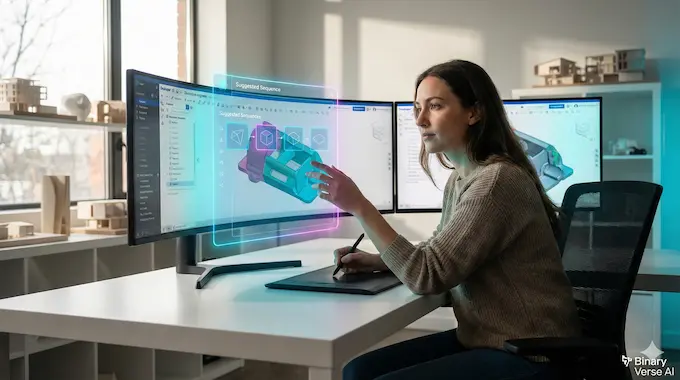
We are witnessing a browser war in the AI space, but a quieter revolution is happening in the Computer-Aided Design (CAD) sector. The promise of AI for CAD has always been tantalizing: imagine describing a bracket and having the software model it for you.
The reality, until now, has been disappointing. Most Text to CAD tools act like a boolean operation gone wrong. They give you a “dumb solid”, a geometric shape with no history, no parameters, and no editability. If you need to change the diameter of a hole in a Text to CAD output, you are often stuck manually patching a mesh, which is a nightmare for any serious engineer.
VideoCAD takes a different approach. MIT researchers realized that to build a true “CAD Co-Pilot,” the AI needs to understand the User Interface (UI). It needs to know that to make a hole, you don’t just “manifest” a cylinder. You select a face. You draw a circle. You dimension it. You click ‘Extrude-Cut’.
This is CAD automation at the behavioral level. By training on over 41,000 videos of human workflows in Onshape, the VideoCAD model learns the visual language of engineering. It learns that after a user clicks “Sketch,” they usually click a plane. It learns that “Select” usually precedes “Dimension.”
This matters because it moves us away from the “black box” generation of standard Text to CAD. If the AI acts like a human using a mouse, it generates a feature tree. And if it generates a feature tree, you can edit it.
3. What is VideoCAD? (The Technical Breakdown)

Let’s look under the hood. VideoCAD is technically two things: a dataset and a model. The dataset is the real gold mine here. It consists of 41,005 videos of CAD modeling sessions. But these aren’t just MP4 files. They are synchronized with timestamped action logs. Every time the human user (or the automated script simulating a human) clicks Shift+S to start a sketch, that action is logged and paired with the video frame.
This tackles a massive problem in AI known as the “long-horizon” task.
In typical web automation benchmarks (like purchasing an item on a website), an agent might need to perform 10 or 15 actions. In VideoCAD, the average sequence length is 186 actions. That is a 20x increase in complexity compared to standard UI benchmarks like WebShop or MiniWob++.
The model, dubbed VideoCADFormer, uses a technique called Behavior Cloning. It ingests the video frames and the history of actions, then uses a Transformer architecture to predict the next token. But here, the “token” isn’t a word; it’s a UI command (e.g., Line, Circle, Extrude) and its parameters (e.g., (x, y) coordinates).
By relying on visual inputs rather than just code, VideoCAD bridges the gap between generative design and robotic process automation (RPA). It looks at the pixels of the Onshape interface to understand the state of the model, much like a human designer does.
4. VideoCAD vs. Standard “Text to CAD” Tools
To understand why this paper is making waves, we have to contrast it with the status quo. The market is currently flooded with Text to CAD solutions that rely on point clouds or voxel generation. These are great for video game assets but terrible for manufacturing.
Here is the breakdown of why the methodology matters:
Text to CAD Comparison: Standard vs VideoCAD
| Feature | Standard Text to CAD (e.g., Zoo, Point-E) | VideoCAD (MIT Approach) |
|---|---|---|
| Output Type | Mesh / Point Cloud / STL | Parametric Feature Tree |
| Editability | Low (Dumb Solid) | High (Full History) |
| Method | 3D Voxel/SDF Generation | UI Behavior Cloning |
| Action Horizon | 1 Step (Prompt -> Result) | ~186 Steps (Click-by-click) |
| Intermediate State | Invisible (Black Box) | Visible (Watch it draw) |
| Integration | Requires Import/Export | Native (Works in Onshape) |
The critical column here is “Editability.” In professional engineering, the first design is never the final design. A Text to CAD tool that gives you a un-editable mesh is useful for visualization but useless for iteration.
VideoCAD simulates the clicks. This means if the AI makes a mistake in step 40 of 100, you can go into the Onshape history, edit step 40, and let the software rebuild the rest. That is the “Feature Tree” advantage, and it is the single biggest request from engineers on every Text to CAD forum discussion.
5. Step-by-Step Guide: How to Install and Run VideoCAD
You don’t need a PhD to run this, but you do need a decent GPU and some familiarity with Python. The MIT team has open-sourced their code, which is a refreshing change of pace in an era where many labs keep their weights behind an API paywall.
Here is how you can get VideoCADFormer running on your local machine to experiment with CAD automation.
Step 1: Clone the Repository
First, grab the code from the repository.
git clone https://github.com/ghadinehme/VideoCAD.git
cd VideoCADStep 2: Environment Setup
You will want to isolate this in a Conda environment to avoid dependency hell. The requirements are standard for deep learning (PyTorch, standard vision libraries).
conda create -n videocadformer python=3.9
conda activate videocadformer# Install dependencies
pip install -r requirements.txtStep 3: Data Preprocessing
This is the heavy lift. You need to download the raw data from the Harvard Dataverse (links provided in the repo). Once downloaded, you have to run the preprocessing script. This script aligns the video frames with the mouse action logs to create the training pairs.
python generate_dataset.pyNote: This script resizes images to 224×224 and extracts the action vectors. It turns the raw “click at 1920×1080” logs into normalized coordinates the model can understand.
Step 4: Running Inference
To see the model in action, you can run the test script. This will load a pre-trained checkpoint (which you can download from their project page) and have the model predict actions based on input frames.
python test.py \
--checkpoint_folder cad_past_10_actions_and_states \
--output_root_dir experiment_results
This doesn’t actively hijack your mouse (yet), but it outputs the sequence of actions the model would take. You can inspect these logs to see if the Text to CAD logic holds up against the ground truth.
6. Code Breakdown: Understanding the “Agent Mode“
When we talk about Text to CAD, we usually mean a prompt entering a black box. But VideoCADFormer operates as an agent. It outputs structured decisions.
The model uses a distinct architecture that fuses visual encoding (what the CAD screen looks like) with action encoding (what button did I just press?).
Here is a simplified conceptual look at what the model is actually predicting during inference. It’s not predicting a pixel color; it’s predicting a discrete command from a dictionary of CAD operations.
{
"step": 42,
"visual_context": "[Embedded Feature Vector of current screen]",
"predicted_action": {
"command": "Sketch_Circle",
"parameters": {
"center_x": 0.54,
"center_y": 0.33,
"radius": 0.12
},
"press_count": 1,
"keyboard_input": "null"
}
}
The model has to output the command (e.g., Draw Circle) and the parameters (where to put it). This is significant because it grounds the Text to CAD concept in spatial reality. If the model gets the coordinate wrong, the circle is drawn off-center. This explicit failure mode is actually helpful because it’s easier to debug than a neural radiance field that looks “melty.”
7. The Great Debate: Security, Liability, and “Garbage In, Garbage Out”
We cannot discuss AI for CAD without addressing the elephant in the server room: Intellectual Property. If you browse the engineering subreddits, the resistance to cloud-based AI tools is fierce. “I can’t upload my company’s proprietary turbine design to an open AI server,” says practically every lead engineer.
VideoCAD offers a potential solution here. Because it is an open-source model architecture, it can theoretically be trained and run locally (offline). Unlike commercial Text to CAD SaaS platforms that ingest your prompts to train their models, a Behavior Cloning model like this could live on a secure, air-gapped workstation. It learns your specific workflow without leaking your schematics to the internet.
Then there is the liability question. If a Text to CAD generator designs a bracket and that bracket fails, who is responsible? The engineer or the AI?
The answer, for the foreseeable future, remains the engineer. VideoCAD is a drafting tool, not a verification tool. It is designed to automate the boring clicks, the “mate this face to that face” drudgery, so the engineer can focus on the physics. It is the same logic as using a calculator; the calculator isn’t liable if you punch in the wrong numbers, but it sure makes the math faster.
8. Limitations: Why It Won’t Design a Jet Engine (Yet)
Let’s rein in the hype. While VideoCAD is a massive leap forward for Text to CAD research, it is not going to replace a senior design engineer anytime soon.
First, there is the issue of Geometric Dimensioning and Tolerancing (GD&T). The model operates on visual inputs (224×224 pixels). It struggles with the sub-millimeter precision required for aerospace or medical devices. It might place a hole at (0.5, 0.5) on the screen, but in manufacturing, the difference between 10.0mm and 10.05mm is the difference between a working part and scrap metal.
Second, the complexity ceiling is low. The dataset focuses on single parts with sequences around 186 steps. A real-world engine assembly has thousands of parts and millions of interaction steps. Current Text to CAD technology simply cannot maintain context over that horizon.
Finally, there is the software lock. This specific model is trained on Onshape. If you use SolidWorks, Catia, or NX, the model’s knowledge of where the buttons are won’t transfer. It would need to be retrained on videos of those specific interfaces.
Table 2: Benchmark Comparison
Here is how VideoCAD compares to other AI datasets. Note the massive jump in “Time Horizon,” which is the proxy for task complexity.
Text to CAD Benchmarks: Dataset Complexity
| Dataset | Domain | Samples | Time Horizon (Avg Steps) | 3D Reasoning? |
|---|---|---|---|---|
| MiniWob++ | Web UI | 125 | 3.6 | No |
| AndroidWorld | Mobile | 116 | 18.1 | No |
| WebShop | E-commerce | 12,000 | 11.3 | No |
| VideoCAD | CAD | 41,005 | 186.0 | Yes |
9. The Future of Generative Design: From “Vibe Coding” to “Vibe Lifing”
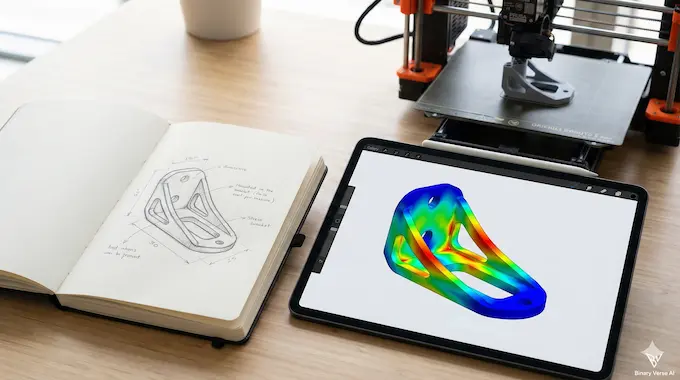
We are entering an era of “Generative Design” that goes beyond topology optimization. Companies like Autodesk have long pushed generative design as a way to shave weight off a bracket by simulating stress loads.
VideoCAD points toward a future where Text to CAD merges with these simulation tools. Imagine a workflow where you sketch a rough idea on a napkin, scan it, and the AI agent opens the CAD software, builds the parametric model, runs a Finite Element Analysis (FEA) simulation, creates the technical drawing, and emails you the result for approval.
This moves us from “Vibe Coding” (where AI writes scripts based on loose prompts) to what we might call “Vibe Lifing”, where the AI manages the lifecycle of the product design based on high-level intent.
The bottleneck right now is data. We have billions of lines of text to train LLMs, but we don’t have billions of hours of labeled CAD videos. VideoCAD is the first step in fixing that data scarcity.
10. Conclusion: Should You Learn CAD Automation in 2025?
The verdict is a resounding yes. Text to CAD is not a fad; it is the logical evolution of the toolset. Just as we moved from drafting boards to 2D AutoCAD, and then to 3D Parametric modeling, the next step is CAD automation via AI agents.
VideoCAD proves that AI can learn the “process” of design, not just the “result.” For engineers, this is good news. It means the future isn’t about an AI stealing your job; it’s about an AI taking over the tedious task of clicking through menus so you can focus on the actual engineering.
So, download the dataset. Clone the repo. Start treating these models not as replacements, but as junior drafters who need a lot of supervision but work incredibly fast. The engineers who master Text to CAD workflows today will be the ones leading the design teams of tomorrow.
Next Step: If you want to dive deeper, check out the generate_dataset.py script in the repo to see exactly how they map pixels to actions, it is a masterclass in data engineering for UI agents.
How does AI convert Text-to-CAD or Video-to-CAD?
Traditional Text-to-CAD tools (like Zoo or Text2CAD) generate static 3D meshes or simple scripts directly from a prompt, often resulting in un-editable “dumb solids”. In contrast, VideoCAD uses behavior cloning to simulate human UI interactions. Instead of guessing the final shape, it predicts the specific mouse clicks and button presses (e.g., “Select Plane,” “Extrude”) needed to build the model step-by-step in software like Onshape, preserving the editable feature tree.
Is there any AI for CAD drawing that is free?
Yes, VideoCAD is an open-source project released by MIT, meaning its code and dataset are free to download and use from GitHub. However, running it requires your own computational resources (GPU) and setup. Commercial Text-to-CAD tools often require paid subscriptions or credit-based systems for cloud generation, making VideoCAD a powerful free alternative for those with technical skills.
Can ChatGPT or AI Agents do CAD drawings?
ChatGPT can write simple scripts (like Python for Blender or CADQuery), but it frequently fails on complex geometry because it cannot “see” the 3D errors it creates. VideoCAD bridges this gap by operating as a visual UI Agent; it watches the CAD screen pixels to understand the current state, allowing it to correct mistakes and navigate complex menus just like a human designer would, which standard LLMs cannot do.
Is CAD automation difficult to learn for engineers?
It depends on the tool. Basic Text-to-CAD apps are browser-based and easy to use but offer limited control. VideoCAD represents a more advanced tier of CAD automation that requires some technical proficiency; you need to know how to use the terminal, manage Python environments (Conda), and run inference scripts. It is harder than a simple plugin but offers significantly more power than writing VBA macros from scratch.
What is “Visual CAD” and how does VideoCAD use it?
“Visual CAD” refers to AI models that process visual data (pixels/screenshots) rather than just text or code. VideoCAD uses a vision transformer (VideoCADFormer) to analyze the CAD interface at 60 frames per second. This allows the AI to ground its actions in reality—seeing exactly where a line is drawn or a menu opens, ensuring higher accuracy for long design sequences compared to “blind” script generators.