

1. Introduction
A trained model is just a static file. It sits on your hard drive, a massive binary blob of weights and biases, doing absolutely nothing. It is potential energy waiting for a kinetic trigger. LLM inference is that spark. It is the process that brings the ghost in the shell to life, transforming a dormant neural network into something that can write code, translate French, or explain quantum mechanics to a five-year-old.
For a long time, the spotlight was entirely on training. We obsessed over dataset sizes, compute clusters, and training runs that cost more than the GDP of a small island nation. But the wind has shifted. We have reached the deployment era. Now, the engineering challenge of the decade is not just building the model, but running it efficiently.
The problem is that LLM inference is surprisingly hostile to our current hardware. It is slow. It is ridiculously expensive. It eats VRAM for breakfast. If training is a brute-force science, inference is an art form of optimization.
Table of Contents
2. What is LLM Inference? (It’s Not Just Prediction)
If you browse the technical subreddits, you will see a common simplification: “It’s just next-token prediction.” While technically true, that is like saying driving a Formula 1 car is “just turning the steering wheel.”
LLM inference is the deployment phase where the model takes an input (your prompt), processes it through its layers, and generates a probabilistic distribution for what comes next.
2.1 The Forward Pass
When you hit “Enter,” your text is tokenized and fed into the model. This is the “prefill” phase. The model processes all these tokens in parallel to understand the context. This part is actually quite fast because GPUs love parallel workloads. They can crunch the matrix multiplications for the entire prompt at once.
2.2 Auto-regression
Here is where the trouble starts. After the prefill, the model generates the first new token. To generate the second token, it must take the original prompt plus the first new token and run the whole process again. It cannot guess the 10th word before it knows the 9th. This is auto-regression. It forces the GPU into a serial, sequential lockstep. This serial nature is the primary reason why LLM inference feels slow compared to other AI tasks like image classification.
3. The Core Challenges: Why is Inference So Hard?
You might assume that because we have massive H100 GPUs, LLM inference should be instantaneous. It isn’t. The bottleneck usually isn’t raw compute speed (FLOPS). It is moving data.
3.1 Memory Bandwidth
This is the single biggest killer of performance. In LLM inference, specifically the decoding phase, the arithmetic intensity is very low. For every token generated, we have to load the entire model’s weights from the GPU’s high-bandwidth memory (HBM) into the compute cores. We use each weight only once per token.
We are essentially trying to drink a milkshake through a coffee stirrer. The GPU cores are sitting idle, waiting for the memory controller to deliver the data. This is why inference optimization often focuses on memory bandwidth rather than just raw clock speed.
3.2 Latency vs. Throughput
There is a fundamental tension here. Inference latency is how fast a single user gets their answer. Throughput is how many users you can serve at once. Techniques that improve throughput (like big batch sizes) often hurt latency. Balancing this is the job of the LLM inference engine.
3.3 The KV Cache
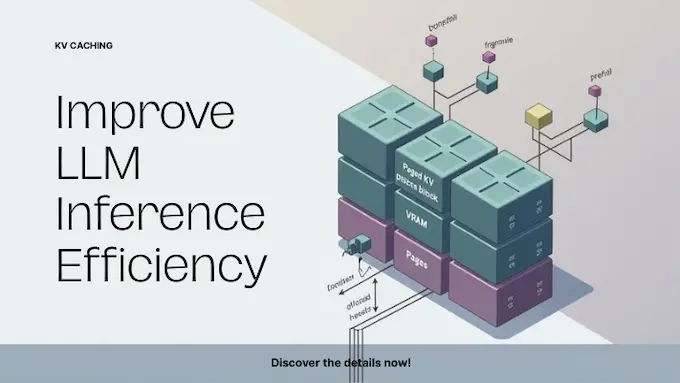
To generate a coherent response, the model needs to “remember” the attention keys and values for every previous token. We can’t recompute these every single time—that would be catastrophically slow. So we store them in the KV cache. The problem? This cache grows linearly with sequence length. For long-context models, the KV cache can become larger than the model itself, leading to Out-Of-Memory (OOM) errors.
4. Inference Engines Showdown: vLLM vs. Llama.cpp vs. Ollama
The software wrapper you use to run the model matters almost as much as the hardware. The “vLLM vs llama.cpp” debate is a staple of engineering discussions, and the answer, as always, is: it depends.
4.1 Llama.cpp
This is the people’s champion. Georgi Gerganov wrote this project in pure C++, and it changed the landscape overnight. Its killer feature is the ability to run LLM inference on almost anything—Apple Silicon, old NVIDIA cards, even just a CPU. It uses the GGUF file format, which is highly efficient for consumer hardware. If you are hacking on a MacBook or a gaming PC, this is your engine.
4.2 vLLM
If Llama.cpp is for hackers, vLLM is for production engineers. It is designed for high-throughput serving. Its claim to fame is PagedAttention (which we will get to in a minute), which manages memory so efficiently that it can serve far more concurrent users than standard hugging-face pipelines. If you are building an API, you use vLLM.
4.3 ExLlamaV2
This is for the speed demons. It is a highly optimized library specifically for modern NVIDIA GPUs using EXL2 quantization. It is often the fastest way to run LLM inference if you have a 3090 or 4090 and want minimum inference latency.
LLM Inference Engine Comparison
| Engine | Best For | Hardware Focus | Key Feature |
|---|---|---|---|
| Llama.cpp | Local use, Edge devices | Apple Silicon, CPUs, Consumer GPUs | Broad compatibility, GGUF format |
| vLLM | Production APIs, High scale | Data Center NVIDIA/AMD GPUs | PagedAttention, High Throughput |
| ExLlamaV2 | Enthusiast speed, Single user | Consumer NVIDIA GPUs | Extreme speed on modern cards |
| Ollama | Developers, Ease of use | Apple Silicon, Consumer GPUs | Docker-like simplicity (wraps llama.cpp) |
5. Hardware Acceleration: Where to Run Your Model
Your LLM inference strategy is dictated by your silicon.
5.1 NVIDIA GPUs
They are still the gold standard. Their Tensor Cores are purpose-built for the matrix math that drives deep learning. The software ecosystem (CUDA) is a moat that is incredibly hard to cross.
5.2 TPUs and LPUs
We are seeing specialized hardware emerge. Groq, for instance, introduced the LPU (Language Processing Unit). They bet the farm on overcoming the sequential bottleneck by putting massive amounts of SRAM directly on the chip, bypassing the external memory bandwidth issues entirely. This results in LLM inference speeds that look like a glitch, hundreds of tokens per second.
5.3 Consumer Hardware
The unsung hero here is Apple’s unified memory architecture. A Mac Studio with 192GB of RAM allows the CPU and GPU to share the same memory pool. This lets you load massive 70B or even 120B parameter models that would otherwise require $30,000 worth of enterprise GPUs. It’s slower, sure, but it makes local LLM inference accessible.
6. Optimization Technique 1: Quantization (Making it Smaller)
If memory bandwidth is the bottleneck, the most logical fix is to make the data smaller. Most models are trained in FP16 (16-bit floating point). But do we really need that much precision?
Quantization is the process of mapping these high-precision numbers to lower-precision integers, like INT8 (8-bit) or INT4 (4-bit). It is like rounding $3.14159265$ to $3.14$. You lose a tiny bit of nuance, but you save massive amounts of space.
A 4-bit quantized model takes up 25% of the memory of a 16-bit model. This means you can fit a smarter model into a smaller GPU. Surprisingly, well-calibrated quantization results in negligible accuracy loss for most tasks, making it a mandatory step for efficient LLM inference.
7. Optimization Technique 2: KV Caching & PagedAttention
We touched on the KV cache earlier. Managing this memory is tricky because you don’t know how long a user’s conversation will be. Traditional systems would reserve a huge block of contiguous memory just in case, leading to “fragmentation”—Swiss cheese holes in your VRAM that you can’t use.
This is where vLLM changed the game with PagedAttention. It took a page (literally) from operating system design. Just as your OS breaks programs into non-contiguous memory pages, PagedAttention breaks the KV cache into blocks that can be stored anywhere in memory. This eliminates waste and allows the LLM inference engine to batch more requests together, drastically improving throughput.
8. Optimization Technique 3: Speculative Decoding

This is one of the cleverest hacks in inference optimization.
Remember that the big model is slow because it is memory-bound. But small models are fast. In speculative decoding, you have a tiny “draft” model that quickly guesses the next 3 or 4 tokens. Then, you run the big “verifier” model once to check if those guesses were right.
Because the big model can check 4 tokens in parallel just as fast as it can generate 1 (due to that bandwidth bottleneck), you essentially get free tokens. If the draft is right, you skip ahead. If it’s wrong, you discard and correct. It turns the serial process into a semi-parallel one, reducing inference latency significantly.
9. Optimization Technique 4: Pruning and Distillation
Sometimes the best way to speed up LLM inference is to change the model itself.
9.1 Pruning
Neural networks are sparse. Many of the neurons don’t contribute much to the final output. Pruning involves identifying these “dead” weights and setting them to zero. Structural pruning removes entire channels or layers, making the model physically smaller and faster.
9.2 Distillation
This is the teacher-student approach. You take a massive model (like GPT-4) and use its outputs to train a smaller model. The small model learns to mimic the big one’s reasoning patterns but with a fraction of the parameter count. DeepSeek-Distill is a prime example of this, offering high-quality LLM inference at a fraction of the cost.
10. Software Optimization: Batching Strategies
If you are serving one user, you just run the model. If you are serving a thousand, you need batching.
Naive batching waits for every request in a group to finish before sending the answers. But if User A asks a short question and User B asks for a novel, User A is stuck waiting for User B.
Continuous Batching (or iteration-level scheduling) solves this. As soon as User A’s request is done, the LLM inference engine injects User C’s new request into the batch immediately, without waiting for User B to finish. It keeps the GPU tensor cores fully saturated at all times. This is the secret sauce behind the speed of providers like Groq and Together AI.
LLM Inference Optimization Techniques
| Technique | Goal | Mechanism | Trade-off |
|---|---|---|---|
| Quantization | Reduce VRAM usage | Lower precision (INT4/INT8) | Slight accuracy loss |
| PagedAttention | Increase Throughput | Non-contiguous memory management | Higher system complexity |
| Speculative Decoding | Reduce Latency | Draft model + Verification | Requires a good draft model |
| Continuous Batching | Maximize Utilization | Dynamic scheduling | Complex implementation |
11. The Future of Inference: Edge Computing
The holy grail of LLM inference isn’t a faster data center. It is no data center at all. We are moving toward a world of “Edge AI.” Apple, Qualcomm, and Intel are racing to put NPUs (Neural Processing Units) into laptops and phones. Running LLM inference locally means zero latency, zero server bills, and total privacy.
The constraint has always been memory. But with 4-bit quantization and efficient architectures like Phi-3 or Gemma, running a capable assistant on your phone is no longer science fiction. It is happening right now. We are seeing a shift where the cloud handles the massive “System 2” reasoning tasks (referencing the complex logical deductions found in advanced research), while your local device handles the instant, intuitive “System 1” tasks.
12. Conclusion
We are witnessing a fundamental shift in AI. The era of “make it bigger” is being joined by the era of “make it faster.” LLM inference is the bridge that connects the potential of artificial intelligence to the reality of product utility.
If you are a developer, you can’t just treat the model as a black box anymore. You need to understand the memory hierarchy, the KV cache, and the trade-offs of quantization. So, where does that leave us?
If you are a hobbyist, download Ollama or Llama.cpp and start running models on your local machine. Feel the difference between a 7B and a 70B model. If you are building for production, look into vLLM and inference optimization strategies like continuous batching.
The models are only going to get smarter. The engineers who know how to make them run efficiently are the ones who will build the future.
Go optimize something.
Is “inference” just a fancy word for prediction?
Not exactly. While “prediction” describes the mathematical probability of the next token, LLM inference refers to the entire engineering pipeline of deploying a trained model in a production environment. It encompasses the hardware management, memory allocation, and software optimization required to turn those raw predictions into a usable, low-latency user experience, distinct from the massive compute-heavy training phase.
Why is LLM inference so computationally expensive?
The primary culprit is memory bandwidth, not just raw processing speed. LLMs are massive; generating a single token requires moving billions of parameters from the GPU’s High-Bandwidth Memory (HBM) to the compute cores. Since this must happen for every new word generated, the GPU often sits idle waiting for data to arrive, creating a costly bottleneck that demands expensive, high-memory hardware.
What is the best inference engine for local use?
For most local users, Llama.cpp is the gold standard because of its versatility; it runs efficiently on consumer hardware like MacBooks (Apple Silicon) and standard gaming PCs using the GGUF format. However, for enterprise-grade production where serving thousands of concurrent users is the goal, vLLM is superior due to its high-throughput architecture.
How does quantization (int4/int8) speed up inference?
Quantization speeds up inference by reducing the precision of the model’s weights (e.g., from 16-bit floating point to 4-bit integers). This shrinks the model’s total file size, allowing it to fit entirely into the faster GPU memory (VRAM). Smaller data size means less data to move between memory and compute cores, directly alleviating the memory bandwidth bottleneck and increasing generation speed.
What is the difference between training and inference?
Think of training as “learning,” a massive, one-time computational event where a model reads datasets to adjust its internal weights (requiring backward passes and huge compute clusters). Inference is “applying,” a repetitive, real-time process where the frozen model uses those learned weights to generate answers for users (requiring only forward passes and optimized for low latency).