
Text to Image ELO Comparison
Approximate ELO scores for leading image models across three tasks
Introduction
The name sounds like a meme. The results do not. Nano Banana Pro is Google’s new high-end image model baked into Gemini 3 Pro Image, and it quietly answers a question creatives and engineers have been asking for years:
Can a single model handle serious design work, accurate diagrams, and still let you play with wild concepts for fun?
Short answer: yes, if you treat it like a tool, not a toy. This is not just another Google AI image generator that spits out pretty pictures. It is a reasoning-heavy, grounded system that understands instructions, layouts, typography, and real-world facts in a way that finally feels production ready.
In this review and guide, we will walk from high-level impressions down to concrete prompting patterns, compare it to Midjourney, and finish with a practical text-to-image API example you can drop into your stack. If you care about shipping real assets, not just sharing screenshots on social media, this is where the model gets interesting.
Table of Contents
1. Why Nano Banana Pro Matters Right Now
The last few years of image models gave us incredible “wow” moments, then awkward failure modes. Beautiful faces with cursed hands. Posters with unreadable typography. “Close enough” diagrams that collapse as soon as you try to use them in a deck.
Nano Banana Pro is the first Google model that feels tuned for the boring but critical tasks: marketing slides, educational infographics, UI mockups, and brand-safe campaigns that need to look intentional. It sits on top of Gemini 3, borrows its reasoning and world knowledge, then focuses hard on layout, composition, and text.
Three shifts make it worth your attention:
- It can render long, legible text directly inside images in multiple languages, which makes AI image text rendering go from “cute trick” to “core workflow.”
- It connects to live data via grounding with Search, so your infographics can reflect reality instead of hallucinated statistics.
- It respects professional constraints like aspect ratio, resolution, and consistent characters instead of treating every image as a one-off dream.
If you already play with image tools for fun, this upgrade turns them into something your design, growth, and product teams can actually rely on.
2. What Nano Banana Pro Actually Is
At a high level, Nano Banana Pro is the “Pro” tier of the Gemini image family built on Gemini 3 Pro Image. You can think of it as the serious sibling of the original Nano Banana model from the Gemini 2.5 Flash line.
Flash is built for speed and quick iterations at 1024×1024. The Pro variant is built for control, fidelity, and complex instructions. It supports:
2.1 Model Lineage And Modes
- Backbone: Gemini 3 with a “Thinking” mode that plans composition before generating.
- Image modes:
- Pure text-to-image for fresh generations.
- Image plus text for editing and localized tweaks.
- Multi-image composition for collages, mockups, and style transfer.
- Surfaces: Gemini app, Google AI Studio, Vertex AI, Antigravity (Google’s agentic dev environment), and creative tools like Slides, Ads, and more.
2.2 Core Specs And Controls
Here is what you actually get at the pixel level:
- Resolution: Up to 4K assets in multiple aspect ratios.
- Inputs: Up to 14 reference images, with strong character and style consistency.
- Controls: Camera angle, depth of field, lighting, color grading, and focal point, all steerable in plain language.
- Reasoning: Uses the “Thinking” process under the hood to sanity-check layout and logic before final render.
If you have ever tried to hack together a poster by jumping between design tools and image models, this combo of reasoning plus control is where the friction starts to drop.
3. Pricing And Availability
Pricing moves fast, so always check the latest docs, but the structure is simple.
For regular users, the Pro model shows up inside the Gemini app when you pick the “Thinking” model and tap “Create images.” Free tiers get a limited quota before falling back to the original Nano Banana image model, while higher Google AI subscriptions get more generous caps.
For developers, Nano Banana Pro is exposed through the Gemini API as part of Gemini 3 Pro Image. You pay in tokens for image output or via tiered image pricing, similar in spirit to other cloud APIs. From a product point of view, the important part is this:
- You can call the same text-to-image API for both quick Flash generations and high quality Pro outputs.
- You control resolution and aspect ratio with configuration, so you can generate exactly what your front end expects.
That makes it easy to treat the model as another production dependency rather than a playground running in a separate universe.
4. Why Text Rendering Feels Like A Superpower
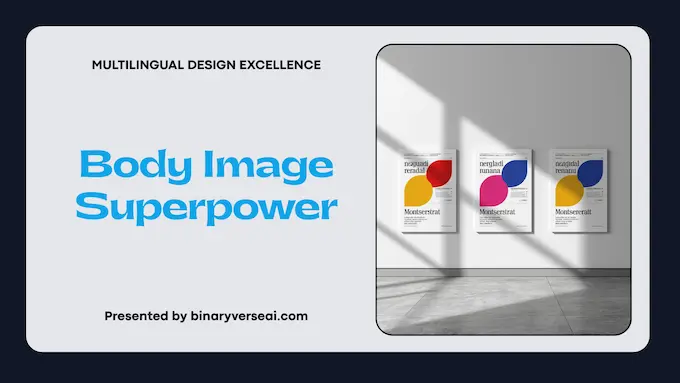
Text in images was the day-one Achilles heel of AI art. Posters came out with fake Latin, brand logos melted into nonsense, and infographics were decorative noise.
With AI image text rendering now treated as a first-class capability, the Pro model flips that script. You can ask for:
- A landing-page hero with a specific headline, subheading, and button label.
- A dense multi-panel comic with readable speech bubbles in a chosen language.
- A step-by-step recipe card that would not embarrass you in a cookbook.
The model keeps fonts consistent, respects hierarchy, and can localize text without destroying the original design. Ask it to translate English labels on product cans into Korean while keeping everything else identical, and it will attempt to preserve layout, lighting, and style.
For teams, this is the moment when a Google AI image generator becomes a layout and typography engine, not just a painter. You can design once, localize often, and keep the same look across regions.
5. Seven Prompting Strategies For Studio-Quality Results
You do not need secret magic words, but you do need intent. Below are seven patterns that consistently unlock better results with Nano Banana Pro.
5.1 The Cinematographer Mindset
Instead of “cool fantasy warrior,” think like a director:
- Shot type: close-up, wide shot, overhead.
- Lens: 35mm for wider scenes, 85mm for dreamy portraits.
- Lighting: soft golden hour, hard noon sun, neon city at night.
Describe camera and light, and the model will lean into photorealism instead of generic concept art.
5.2 Reference-Driven Consistency
Upload a handful of character photos or product shots, then be explicit about roles. For example:
- “Use Image A for the character’s face.”
- “Use Image B as the style reference.”
- “Use Image C for the background environment.”
The Pro model can juggle multiple references while keeping faces, clothing, and logos recognizably the same. This is crucial when you want a cast of characters to appear across frames or a product to stay on-brand across campaigns.
5.3 Negative Space For Real Designers
If you know text will be added later, say so. Phrases like “large amount of empty space in the top third for a headline” or “clean, light background with room on the right for copy” help the model compose images you can drop straight into Figma without surgery.
5.4 Grounded Diagrams And Infographics
Ask for “a scientifically accurate cross-section of a human heart labeled for high-school students” or “an infographic summarizing the five-day weather forecast for London as a clean dashboard.”
When you enable grounding, the model can reach out to Search, reason over results, and then draw. This is where Nano Banana Pro stops being a toy and becomes a diagram machine.
5.5 Localization Without Re-Design
Once you have a poster or comic page you like, you can treat text as a variable instead of regenerating the entire scene.
For example:
- “Translate all text in this image into Spanish, keep layout identical.”
- “Change only the price labels to euros, keep everything else untouched.”
That saves huge amounts of designer time while keeping your brand cohesive.
5.6 Multi-Turn Editing As A Habit
The fastest users talk to the model like an assistant:
- “Great, now zoom in slightly and shift the lighting toward cooler tones.”
- “Keep everything the same, but change the tie to green and soften the shadows.”
Because the model tracks reasoning and state across turns, multi-step edits tend to produce cleaner, more intentional results than trying to cram everything into a single mega prompt.
5.7 Brand Systems, Not One-Offs
Think in systems, not single images. Ask for reusable sets:
- Icon packs with consistent stroke weight and palette.
- Product photos in the same studio setup across variants.
- Background templates where only the text and central object change.
Treating the model as a brand engine is how teams actually get leverage instead of a folder full of unrelated experiments.
6. Nano Banana Pro Vs Midjourney v6
The obvious question: in Nano Banana vs Midjourney comparisons, who wins? The answer depends on what you care about.
Midjourney v6 is still a monster for dreamy concept art, painterly textures, and mood. It produces images that feel like album covers for worlds that never existed. If your main output is aesthetic experiments or standalone art pieces, it remains hard to beat.
The Pro model leans in a different direction. It prioritizes legible text, logical layouts, editor-friendly aspect ratios, and instructions that sound like a brief from your product manager. That makes it stronger for work, particularly when you plan to use the output in decks, dashboards, and campaigns.
Here is a simple summary.
6.1 Comparison Table: Where Each Model Shines
Nano Banana Pro Use Case Comparison
| Use Case | Nano Banana Pro Focus | Midjourney v6 Focus |
|---|---|---|
| Marketing and product mockups | Strong, great text and layout | Good, but text often unreliable |
| Cinematic concept art | Good, reasoning helps complex scenes | Excellent, highly stylized and dramatic |
| Technical diagrams and infographics | Very strong with grounding and labels | Weak to moderate |
| Localization and multi-language text | Very strong | Limited |
| Multi-turn editing in chat | Built into Gemini workflows | Possible, but less native |
If you are building a product that needs images to carry information as well as vibes, Nano Banana Pro Vs Midjourney v6 is not really a fight. Midjourney is your art studio. The Pro model is your design and documentation engine.
7. Developer Guide: From Zero To First Image
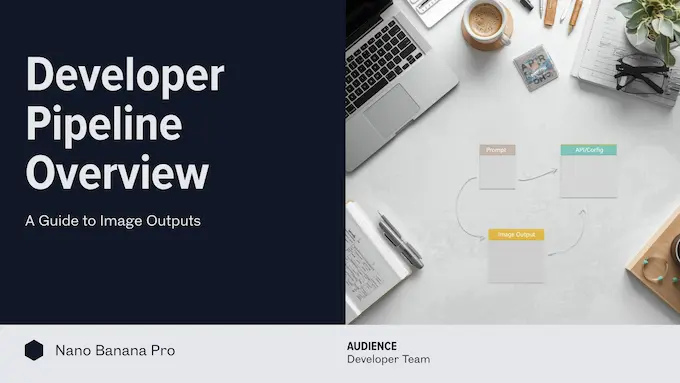
If you are a developer, you probably skimmed everything above and thought “Show me the API.” Good. This is where the Pro image model becomes just another part of your toolchain.
7. 1 How The Text-To-Image API Fits
At a high level:
- You call the Gemini API with a prompt and optional images.
- You specify the model, for example the Pro image preview model, resolution, and aspect ratio.
- The API returns a mixed response with text and image parts, which you can save to disk or stream into your app.
This is the same machinery that powers the consumer Gemini app. The difference is that in your code, Nano Banana Pro becomes a deterministic backend service you can call on demand.
7.2 Python Example: Generating A 4K Marketing Visual
Below is a minimal, self-contained Python script using the Google GenAI SDK. It generates a 16:9 2K banner suitable for a landing page. Adjust model names and imports as Google’s SDK evolves.
from google import genai
from google.genai import types

def generate_marketing_banner():
    """
    Simple example of calling the Gemini 3 Pro Image model
    as a text-to-image API from Python.
    """

    client = genai.Client()

    prompt = (
        "Design a 16:9 landing page hero image for a modern AI design platform. "
        "Show a clean workspace with a laptop, floating UI cards, and subtle "
        "graphs in the background. Leave generous negative space in the top "
        "left for a headline. The style is crisp, minimal, and suitable for a "
        "tech startup website."
    )

    aspect_ratio = "16:9"
    resolution = "2K"   # valid: '1K', '2K', '4K'

    response = client.models.generate_content(
        model="gemini-3-pro-image-preview",
        contents=[prompt],
        config=types.GenerateContentConfig(
            response_modalities=["TEXT", "IMAGE"],
            image_config=types.ImageConfig(
                aspect_ratio=aspect_ratio,
                image_size=resolution,
            ),
        ),
    )

    image_index = 0
    for part in response.parts:
        # Some parts may contain debug text or reasoning,
        # others contain inline image data.
        maybe_image = part.as_image()
        if maybe_image:
            file_name = f"banner_{image_index}.png"
            maybe_image.save(file_name)
            print(f"Saved generated image to {file_name}")
            image_index += 1

if __name__ == "__main__":
    generate_marketing_banner()
You can swap the prompt for any of the strategies from section 5, or turn this into an API endpoint that takes user input and returns a generated asset. Under the hood, you are talking to the same text-to-image API that powers the web experience.
7.3 Developer Cheat Sheet: Aspect Ratios And Uses
To avoid guessing, here is a compact guide to common aspect ratios you might request when calling Gemini 3 Pro Image.
Nano Banana Pro Aspect Ratio Guide
| Aspect Ratio | Typical Resolution (Pro Model) | Ideal Use Case |
|---|---|---|
| 1:1 | 1024×1024 or 2048×2048 | Social avatars, square feed posts |
| 4:5 | 928×1152 or 1856×2304 | Instagram posts, product cards |
| 16:9 | 1376×768 or 2752×1536 | Hero images, YouTube thumbnails, slide covers |
| 21:9 | 1584×672 or 3168×1344 | Cinematic banners, full-width web headers |
| 9:16 | 768×1376 or 1536×2752 | Stories, vertical ads, mobile first layouts |
Deciding this upfront lets your designers and engineers agree on exact sizes, which keeps downstream layout logic simple.
8. Safety, Watermarks And SynthID
No serious review can ignore safety and provenance. The model is fully wired into Google’s safeguards.
- Certain content simply will not generate. Deepfakes of public figures, explicit material, or harmful edits run into guardrails. You can see this quickly when you try to push prompts toward the edge.
- Every generated or edited image is stamped with SynthID, an imperceptible watermark that signals AI origin. That matters for platforms that want to detect and disclose synthetic media at scale.
- Consumer surfaces often add a visible Gemini watermark. Higher tier and developer environments can drop the visible mark while keeping the invisible one so your professional work stays clean.
From a product perspective, this means you can build on Nano Banana Pro without wondering whether you are quietly generating legal or reputational landmines. You still need your own Acceptable Use policies, but the base model is not trying to fight you.
9. Limitations You Should Still Expect
Even with all the progress, this is not magic. The model still shows classic image AI quirks.
- Complex spatial layouts can still misfire. Ask for ten people, each holding a different labeled object, and you might spend a few iterations cleaning it up.
- Fine-grained counting is imperfect. “Exactly seven identical screws arranged in a circle” is a stress test, not a casual request.
- Safety filters sometimes over-fire. Historical scenes, stylized violence, and certain outfits can trigger content blocks even when your use case is educational or artistic.
For most real workflows, these are minor trade-offs. The key is to treat the model as a collaborator that gets you 90 percent of the way there, then apply human judgment on top.
10. Where Nano Banana Pro Fits In Your Stack
The ecosystem of visual models is getting crowded. You have Flash-style fast generators, classic art engines, upscalers, and experimental video models. Where does Nano Banana Pro fit among them?
My mental model looks like this:
- Use fast Flash-style models for rapid idea exploration and throwaway sketches.
- Use Midjourney when you want pure vibes and surreal concept art.
- Use this Pro image model when you need something that could plausibly end up in a slide deck, investor memo, course module, or ad campaign.
It gives you a grounded, controllable, data-aware engine that speaks both design and engineering. You can call it from code, wire it into workflows, and trust that when you ask for a 4K 16:9 banner with a readable headline, that is roughly what will appear.
If you care about building serious products on top of generative media, now is the right time to experiment. Open Gemini, switch to the “Thinking” image model, and give it a prompt you would normally hand to a designer. Then run the same brief through your existing stack.
When you see how far a single click gets you, you will know exactly where Nano Banana Pro belongs in your toolbox.
What is the difference between Nano Banana (Flash) and Nano Banana Pro?
Nano Banana (Flash) is built for speed and volume, generating 1024×1024 images quickly for everyday creative tasks, prototypes, and social content. Nano Banana Pro runs on Gemini 3 Pro Image and targets quality, with 1K, 2K, and 4K output, stronger reasoning, better text rendering, and support for up to 14 reference images in complex compositions. Flash is your fast draft engine, while Nano Banana Pro is your studio-grade model for production assets and detailed art direction.
Is Nano Banana Pro available for free in the Gemini app?
Nano Banana Pro is not fully free, but you can try it in the Gemini app with a limited free quota by choosing “Create images” and the “Thinking” model. Once that quota is used, the app falls back to the standard Nano Banana image model, while heavier or ongoing use, plus higher limits, require paid Google AI plans such as Plus, Pro, or Ultra and paid access on platforms like Vertex AI or AI Studio.
How does Nano Banana Pro compare to Midjourney v6?
Midjourney v6 still leads on pure artistic “vibe,” painterly styles, and highly stylized concept art. Nano Banana Pro is optimized for functional visuals: it produces sharper multi-language text, follows structured instructions more closely, keeps characters consistent across frames, and can ground images in real-world information via Google Search. In practice, many teams use Midjourney for moodboards and concept art, and Nano Banana Pro for final infographics, UI mockups, and production-ready marketing visuals.
Can I use the Gemini 3 Pro Image API for commercial projects?
Yes. You can use Nano Banana Pro through the Gemini 3 Pro Image API for commercial work via Google AI Studio and Vertex AI, as long as you comply with Google’s terms of service, safety rules, and any data-processing agreements in your organization. Pricing is token-based and varies by resolution, but a practical rule of thumb is that smaller images cost a few cents (around the $0.03+ range) while 4K assets cost more, so you should always confirm current pricing on Google’s official billing pages before scaling a commercial pipeline.
How do I use “Grounding with Google Search” for image generation?
Grounding with Google Search lets Nano Banana Pro pull in real-time web data before it draws, so it can generate accurate visuals such as live weather charts, stock dashboards, or current event infographics. In the API or AI Studio, you enable the Google Search tool in the model configuration, send a prompt that clearly describes the chart or infographic you want, and the model first queries the web, then uses those results to render a data-aware image. This keeps diagrams and infographics closer to reality instead of relying on hallucinated numbers.