
Introduction
A new coding model drops, a leaderboard lights up, and within five minutes the internet has reached consensus. Not on whether it’s good, that part is boring. The consensus is on whether it’s “benchmaxed.”
The funny thing is that both camps are usually reacting to the same screenshot. One person sees a model that can finally hang with the closed giants. Another sees the oldest magic trick in ML: pick the tests you’re great at, run them the way you like, and then let the numbers speak in complete sentences.
So let’s do the unsexy thing and read the numbers like adults. If you’re thinking about using IQuest Coder V1, you don’t need a thousand hot takes. You need two things:
- What it actually wins, and what it doesn’t.
- How to test it in your own workflow, fast, without falling in love with a leaderboard.
Table of Contents
1. IQuest Coder V1 In One Paragraph
IQuest Coder V1 is a code-focused model family that aims at long-horizon “software engineering agent” work, not just single-file completions. The technical report positions it as a bridge between open weights and proprietary leaders, especially on tasks that look like real work: multi-step debugging, tool use, and repo navigation.
Here’s the snapshot most people should start with, because it matches the model’s stated goal: agentic coding and tool use, plus the headline coding leaderboards. The report’s Figure 1 also calls out an important gotcha: the LiveCodeBench v6 number shown is from the Loop-Thinking variant, while the rest are from Loop-Instruct.
IQuest Coder V1 Benchmark Comparison
| Benchmark | IQuest-Coder | GPT-5.1 | Sonnet-4.5 | Qwen3-Coder | Kimi-K2 | Other* |
|---|---|---|---|---|---|---|
| SWE-Bench Verified | 76.2 | 76.3 | 77.2 | 67.0 | 69.2 | 76.2 (Gemini-3-Pro-Preview) |
| BigCodeBench | 49.9 | 46.8 | 47.1 (Gemini-3-Pro-Preview) | 49.4 | 49.8 | — |
| LiveCodeBench v6 | 81.1† | 87.0 | 73.0 | 53.9 | 53.7 | — |
| Bird-SQL | 69.9 | 53.3 | — | 61.3 | 62.5 | 60.4 (KAT-Dev) |
| BFCL | 73.8 | 64.4 | — | 68.7 | 70.3 | 64.7 (KAT-Dev) |
| Mind2Web | 62.5 | 55.1 | 58.6 | 53.9 | 53.4 | — |
| Terminal-Bench | 51.3 | 35.0 | 51.0 | 37.5 | 44.5 | — |
| FullStackBench | 68.3 | 64.9 | — | 66.4 | 63.5 | 58.8 (KAT-Dev) |
* “Other” reflects whichever additional model appears in the report’s charts for that benchmark.
† The report notes this LiveCodeBench v6 score comes from the Loop-Thinking model, not the Loop-Instruct model used for the rest.
If you want the one-line takeaway: IQuest Coder V1 is top on six of these eight benchmarks, and it’s narrowly behind the top pack on SWE-Bench Verified and LiveCodeBench v6.
2. The Benchmark Table That Matters
Benchmarks aren’t useless. They’re just easy to misuse. When a model is “top-1” on something, your brain wants to round that up to “best.” Don’t. The honest read is closer to: “best under this exact harness, with this prompt format, with this decoding setup, on this dataset snapshot.”
A better mental model is that every benchmark is a contract. It tells the model what kind of work it will be rewarded for. If you care about repo edits, a benchmark that rewards single-function code golf is trivia night, not job performance.
So, for IQuest Coder V1, the table that matters is the one that mixes:
- Long-horizon software engineering agent tasks (SWE-Bench Verified)
- Tool and UI interaction (Mind2Web, Terminal-Bench)
- Full-stack workflows (FullStackBench)
That cluster is exactly where the report claims the gap between open and closed models is most obvious.
3. SWE-Bench Verified, The Number Everyone Quotes

If you hear one number in every thread, it’s SWE-Bench Verified. That’s because it smells like reality: real repos, real issues, real patches. And it’s also because it’s the benchmark where “small evaluation quirks” can snowball into “wait, what exactly did we measure?”
3.1. The Future-Commits Anxiety, Explained
When people argue about “future commits,” they’re usually pointing at a simple failure mode: your evaluation environment accidentally includes information that would not exist at the time the issue was filed. That can happen in a few ways:
- The repo checkout isn’t pinned the way you think it is.
- The agent can pull from branches or tags that weren’t part of the intended snapshot.
- The harness pulls dependencies or docs that were updated later, turning the test into an unintentional open-book exam.
This is not conspiracy. It’s plumbing. SWE-style evals are complicated because they try to simulate a messy world in a repeatable box. If you’ve ever tried to make “clone repo, run tests” deterministic across machines, you already understand why this gets spicy.
3.2. What 76.2 Actually Means
On the report’s chart, the IQuest Coder V1 number for SWE-Bench Verified is 76.2, essentially tied with GPT-5.1 at 76.3 and close to Sonnet-4.5 at 77.2.
That’s impressive, even before you argue about harness details, because it puts an open model family in the same neighborhood as proprietary heavyweights on the one benchmark that people least want to dismiss.
The right way to hold that number is not “it solves 76 percent of bugs.” It’s: “under a standardized agent setup, it often finds the right edits, in the right files, and gets tests to green.”
4. LiveCodeBench V6, Thinking Vs Instruct Is Not A Footnote
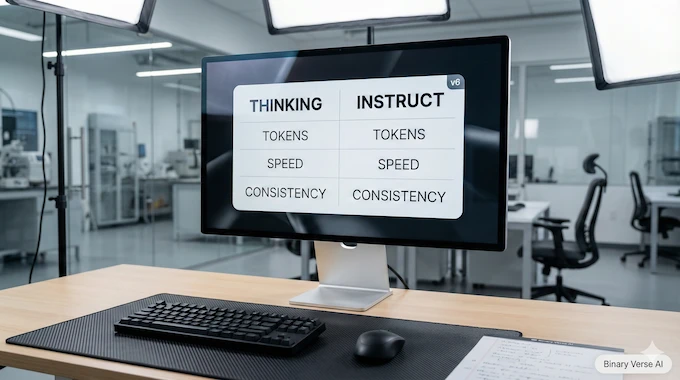
The second number people love is LiveCodeBench v6, because it looks like a clean proxy for coding skill. The catch is that LiveCodeBench can measure different things depending on which variant you run.
The report states that the 81.1 LiveCodeBench v6 score shown is from the Loop-Thinking model, while the rest of the Figure 1 scores are from Loop-Instruct. That’s not trivia. That’s two different products.
So if someone tells you IQuest Coder V1 “gets 81.1 on LiveCodeBench,” your follow-up question is simple: “Which variant are you actually planning to use day-to-day?”
4.1. Why Reasoning Traces Change The Game
Thinking-style models tend to spend tokens like they’re free, because their training rewards explicit decomposition and recovery. The report even calls out that the thinking path triggers an emergent ability for autonomous error recovery in long-horizon tasks, something that doesn’t show up the same way in standard instruction tuning.
That can help on hard problems. It can also slow you down in normal work where you just want a clean diff and a passing test, not a novella.
4.2. The Practical Implication
If your workflow is “tight loop, lots of edits, fast feedback,” you may prefer Instruct most of the time, even if the Thinking variant posts prettier leaderboard numbers.
Treat LiveCodeBench v6 as a signal of potential. Treat your own repo as the actual test.
5. Benchmaxed Or Breakthrough, A Checklist That Fits On A Sticky Note
Here’s my fast, boring, repeatable way to judge any splashy claim about IQuest Coder V1 or any other code model:
- Dataset leakage risk: Does the dataset overlap with common training corpora in ways that are hard to scrub?
- Harness loopholes: Does the agent get access to tools, internet, or repo states that change the meaning of the task?
- Prompt contamination: Are prompts or templates tuned until the score pops?
- Variant mixing: Are people quoting the best number from a Thinking variant while using Instruct in production?
- Repro artifacts: Are scripts, configs, and trajectories available so you can rerun the exact setup?
- Third-party replication: Has anyone outside the authors run the same eval and landed close?
If a model clears most of that, it’s not “benchmaxed.” It’s “measured.”
6. The Vibe Test, Why Leaderboards Lie In Real Repos
Leaderboards mostly test greenfield competence. “Here is a neat problem. Solve it.”
Most software work is brownfield competence. “Here is a half-evolved codebase with three styles, six layers of abstraction, and a test suite that fails for reasons unrelated to your change.”
That’s why the common complaint pattern is predictable: a model looks brilliant on isolated prompts, then faceplants when asked to modify an existing project without breaking everything.
6.1. My Minimal Codebase Change Test
If you want to evaluate IQuest Coder V1 in a way that matches real work, run this:
- Pick a repo you actually care about.
- Create a small issue that requires a multi-file change.
- Add constraints: “Keep existing style,” “Don’t rename public APIs,” “All tests must pass.”
- Score it on the outcome, not the narrative.
If the model can land a clean diff, update tests, and avoid collateral damage, you’ve found something valuable. If it writes great new code but can’t thread itself into the existing structure, it’s still a smart autocomplete.
7. How To Run IQuest Coder V1 Locally, Two Paths That Actually Work
There are two sane ways to get started, and they serve different kinds of people.
7.1. Fast Start, Transformers On A GPU Box
If you have a real GPU setup and you want maximum fidelity, load the Instruct model and run it through your usual Transformers stack. This is the “I want to see the model as intended” route.
Use short prompts at first. Long context is a feature, not a lifestyle.
7.2. Practical Start, IQuest Coder V1 GGUF With IQuest Coder V1 llama.cpp
If you want something you can run on a laptop, or you care more about convenience than peak scores, go for quantized weights. In that world, IQuest Coder V1 GGUF plus IQuest Coder V1 llama.cpp is the everyday combo.
Expect trade-offs. Quantization can hit tricky reasoning and long-horizon consistency. It can also make the model cheap enough to use constantly, which is a very underrated optimization.
Also, watch your context. A big context window is like a big backpack, it’s great until you fill it with rocks.
8. Speed And Hardware Reality, Why It Feels Slow And What To Do About It

The Loop variants are part of the story here. The report describes a loop transformer design where blocks with shared parameters run in two fixed iterations, mixing global and local attention with a learned gate.
That can be a smart capacity-efficiency trade, but it also means inference has more moving parts than “one pass, next token.” If you run long contexts with a looped variant, your GPU will remind you that physics still exists.
Practical knobs that actually help:
- Be disciplined with context length. Don’t stuff in your entire repo if you only need two files.
- Keep outputs short. Ask for diffs, not essays.
- Use smaller variants for iteration. Save the big model for the final attempt.
- Pin a stable decoding preset. Randomness is fun until you’re debugging your own assistant.
8.1. Serving Route, IQuest Coder V1 vLLM
If you want throughput and a cleaner deployment story, serve it. The “production brain” path is IQuest Coder V1 vLLM, especially if you’re feeding multiple requests or building an internal tool.
The trick is to treat serving like any other system. Measure latency, measure tokens per second, measure failure modes. Don’t trust vibes.
9. Recommended Settings, When To Turn The Temperature Down
You can make any model look worse by sampling like you’re generating poetry. Coding is less forgiving. When correctness matters, lower randomness wins.
Here are two presets I recommend starting with for IQuest Coder V1, tuned for real work, not leaderboard cosplay:
IQuest Coder V1 Sampling Presets
| Preset | Use Case | Temperature | Top-p | Top-k | Notes |
|---|---|---|---|---|---|
| Starter Preset | Day-to-day coding help | 0.4 | 0.9 | 40 | Good balance of creativity and restraint |
| Precision Preset | Bug fixes, refactors, tests | 0.1 | 0.85 | 20 | Tighter output, fewer “invented” APIs |
| Agent Preset | Tool use, multi-step tasks | 0.3 | 0.9 | 40 | Encourage planning, keep it readable |
One more practical tip: if you’re evaluating the model, don’t change decoding every run. Otherwise you’re benchmarking your sampling choices.
10. IQuest Coder V1 Vs Qwen3 Coder, The Comparison People Actually Need
Most readers don’t need a top-20 leaderboard tour. They need a single, grounded question: should I switch? On the report’s Figure 1, Qwen3-Coder trails on the two “agent-ish” headliners here: SWE-Bench Verified at 67.0 and Terminal-Bench at 37.5, compared to 76.2 and 51.3 for IQuest Coder V1.
On FullStackBench it’s closer, 66.4 vs 68.3.
So the narrow, useful conclusion looks like this:
- If you care about SWE-agent style patching and terminal workflows, IQuest Coder V1 has a stronger reported profile.
- If you care about ecosystem maturity and you already have Qwen-based serving and prompting dialed in, switching has a real cost.
10.1. The Local Deployability Angle
If your plan is local inference, speed and memory footprint can dominate your lived experience. A model that is “better” but too slow will quietly lose to a model that you actually run.
Pick the one that fits your hardware reality, then judge it on your own tasks.
11. Code-Flow Training, The One Idea Worth Stealing
The most interesting part of the report is not the leaderboard flexing. It’s the training story.
The paper argues that repository transition data, basically the flow of commits, provides a better signal for task planning than static snapshots alone. That’s a subtle point with big implications. Real engineering is about transforming code over time, not generating a perfect file from nothing.
The pipeline also highlights a mid-training stage that injects longer-context reasoning and agentic trajectories, first at 32k context and then at 128k. That’s a deliberate bet: if you want models that can operate in real repos, you teach them to survive long contexts before you do your final “assistant personality” tuning.
11.1. Why This Should Improve Refactoring, Not Just Completion
If a model learns from commits and patches, it should get better at the awkward middle of software work:
- incremental edits
- migrations
- refactors where the correct move is “change three files and update two tests”
That’s also the kind of work that makes models look dumb when they’re only trained on static code dumps.
12. Verdict, Who Should Use It Today And How To Test It Yourself
Here’s the clean read.
IQuest Coder V1 looks real. The benchmark spread shows strength on agentic and tool-heavy tasks, not just one cherry-picked leaderboard. The report also lays out a plausible recipe for why: commit-flow training, long-context mid-training, and a bifurcated post-training path where thinking-style RL produces better error recovery.
Now the part that matters.
Use it today if you’re one of these people:
- You want a local specialist and you can write precise prompts, request diffs, and keep context tight.
- You’re building SWE-agent style workflows and you care about repo edits more than single-file completions.
- You’re willing to evaluate it like an engineer, not like a fan.
Wait, or at least run a smaller pilot, if you’re this person:
- You want fast “vibe coding” iteration and you hate latency.
- You want one model that nails both planning and quick edits without extra setup.
If you take one action after reading this, make it this: build a tiny DIY eval kit in your own repo.
- 5 issues, each requiring multi-file changes
- 1 test-only fix
- 1 refactor with style constraints
- 1 Kimi-K2 “add feature, update docs, update tests” task
- 1 bug that needs a terminal command and a log read
Run the same kit on your current model and on IQuest Coder V1, with fixed decoding presets, and compare diffs, not vibes.
If you do that and publish the results, you’ll contribute something the community always claims to want and rarely produces: evidence.
What is codeflow used for?
Codeflow is used to model how software changes over time. Instead of learning only from static code snapshots, it learns from commits, diffs, and repo evolution so a model can get better at edits, refactors, and “fix this bug without breaking tests” work.
What is a code flow?
A code flow is the sequence of changes that moves a codebase from one working state to another. Think commits, patches, and refactors as a timeline. In practice, it’s the difference between “write code” and “change code safely inside a real repo.”
What is a loop transformer?
A loop transformer reuses the same transformer blocks across multiple passes (iterations). Instead of a single forward sweep, it “loops” through shared parameters again to refine representations. This can trade extra compute time for a smaller footprint than scaling parameters the usual way.
Why is GPT called a transformer?
GPT is called a transformer because its core network is the Transformer architecture, built around self-attention. Self-attention lets the model weigh which tokens matter most when predicting the next token. It’s the mechanism that makes long-context language modeling work well.
Is the Qwen3 coder a reasoning model?
Qwen3-Coder is primarily a coding-focused model family. Whether it behaves like a “reasoning model” depends on the specific variant and how it’s trained or prompted. In practice, compare it on your tasks: tool use, multi-file edits, and test-driven fixes.