

Introduction
Black Forest Labs just dropped a massive update on the generative AI community. While many of us were busy arguing about the nuances of proprietary closed-source models from the big tech giants, the original Stable Diffusion creators were quietly engineering a beast in Germany. That beast is FLUX.2.
It arrived in late November 2025, just in time to disrupt the Thanksgiving news cycle. This isn’t a minor patch or a frantic attempt to stay relevant. It is a fundamental architectural shift. We are looking at a model family that pushes AI image generation out of the toy phase and squarely into professional production workflows.
If you are a researcher, an engineer, or a digital artist, you know the pain of current models. You get a great image, but you can’t edit it without breaking the composition. You can’t put the same character in two different scenes. You wrestle with text that looks like alien hieroglyphs. FLUX.2 tackles these issues with a hammer. It brings a 32-billion parameter architecture, a rewritten VAE, and a philosophy that balances open research with commercial viability.
Let’s dig into the weights, the benchmarks, and the messy reality of running this thing on your own hardware.
Table of Contents
1. What Exactly is FLUX.2? A Look at the “Open Core” Family of Models
Black Forest Labs is playing a smart but complex game called “Open Core.” They aren’t giving away the farm, but they are giving us the tractor. FLUX.2 is not a single file you download. It is an ecosystem composed of four distinct variants, each tuned for a specific trade-off between control, speed, and raw power.
The lineup is designed to confuse the casual user and delight the engineer. Here is the breakdown:
- FLUX.2 [pro]: This is the flagship. It is the API-only heavy hitter designed to crush closed-source competitors. It offers state-of-the-art fidelity and speed but you pay per pixel.
- FLUX.2 [flex]: Think of this as the tuner’s dream. It exposes parameters like guidance scale and step count to the API user. You can trade quality for latency. It is perfect for developers building apps where speed matters more than perfection.
- FLUX.2 [dev]: This is the one we care about. It is the best open source image model (technically open-weight) available today. It is a 32B parameter monster that you can download and run, provided you have the hardware. It combines generation and editing in one checkpoint.
- FLUX.2 [klein]: Coming soon. This is a distilled, smaller version for those of us who don’t have a server rack in our basement.
The crucial takeaway here is the VAE (Variational Autoencoder). The team released the FLUX.2 VAE under an Apache 2.0 license. This is the component that compresses images into latent space and reconstructs them. By making this open, they are establishing a standard. Enterprises can train their own specialized models on this VAE and swap them in and out of FLUX.2 pipelines without rebuilding their entire infrastructure.
2. The 5 Key Breakthroughs: Multi-Reference, 4MP Editing, and Flawless Text
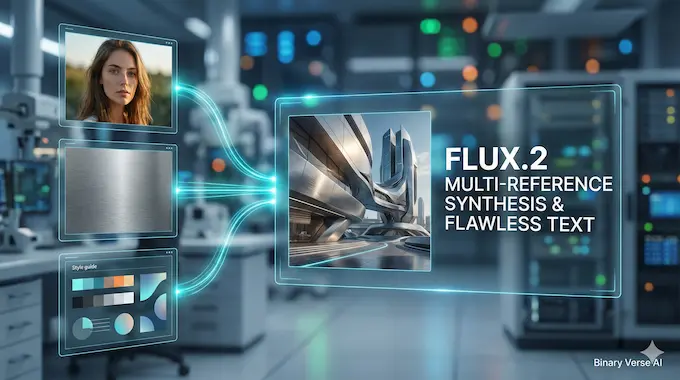
We have seen “better” models before. Usually, that just means they trained on more aesthetically pleasing data. FLUX.2 is different because it adds functional capabilities that we actually need to do work.
Here are the five advancements that justify the download size:
- Multi-Reference AI Support: This is the killer feature. You can pass up to 10 reference images into the model. Imagine feeding it a character sheet, a lighting reference, a style guide, and a logo. The model synthesizes these inputs into a coherent output. It is identity consistency that finally works without complex LoRA training rigs.
- Image Detail and Photorealism: The model doesn’t just hallucinate textures anymore. It understands material physics. We are seeing fabric weaves, skin pores, and architectural materials that hold up under scrutiny.
- Production-Ready Text Rendering: We used to celebrate when an AI spelled “coffee” correctly. FLUX.2 can handle complex typography, infographics, and UI mockups. It renders legible fine text that you can actually use in a slide deck.
- Enhanced Prompt Following: The model uses a Mistral-3 24B vision-language model as its brain. This gives it “world knowledge.” If you ask for a complex scene with specific spatial constraints, it listens. It understands that chairs go on the floor and shadows fall opposite the light source.
- Higher Resolution: You can generate and edit at up to 4 megapixels. This isn’t upscaling. This is native generation. It allows for a level of density in the image that 1024×1024 models simply cannot achieve.
3. FLUX.2 Benchmarks: How It Stacks Up Against Nano Banana 2 and Qwen
Subjective “vibes” are nice, but we need hard data. Black Forest Labs released comprehensive benchmarks comparing FLUX.2 against the current heavyweight open-weight models and proprietary APIs.
The data confirms what early testers are seeing. FLUX.2 isn’t just competing. It is dominating the open-weight category.
Win Rate Comparison
The following table shows the win rate of FLUX.2 [dev] against other leading models in blind tests. The dominance in editing is particularly telling.
FLUX.2 Benchmark Comparisons
| Category | Model Name | Win Rate (%) |
|---|---|---|
| Text to Image | FLUX.2 [dev] | 66.6% |
| Text to Image | Qwen-Image (fal) | 51.3% |
| Text to Image | Hunyuan Image 3.0 | 48.1% |
| Text to Image | FLUX.1 [dev] | 34.5% |
| Single Reference | FLUX.2 [dev] | 59.8% |
| Single Reference | Qwen-Image-Edit | 49.3% |
| Single Reference | FLUX.1 Kontext | 41.2% |
| Multi Reference | FLUX.2 [dev] | 63.6% |
| Multi Reference | Qwen-Image-Edit | 36.4% |
ELO vs. Cost Analysis
Benchmarks are useful, but economics drive adoption. The ELO score represents quality as judged by human raters. The cost is per megapixel.
FLUX.2 Cost vs. Quality Analysis
| Model Name | Cost (cents) | ELO Score |
|---|---|---|
| Nano Banana 2 | 15.0 | ~1063 |
| FLUX.2 [pro] | 3.0 | ~1048 |
| FLUX.2 [flex] | 6.0 | ~1040 |
| FLUX.2 [dev] | 1.0 (self-host est) | ~1029 |
| Seed Dream 4 | ~2.9 | ~1018 |
| Nano Banana | 4.0 | ~1010 |
| Qwen-Image (fal) | 2.0 | ~933 |
| Hunyuan Image 3.0 | 10.0 | ~915 |
FLUX.2 [dev] sits in a unique spot. It delivers an ELO score of ~1029, which puts it within striking distance of the most expensive proprietary models, yet it costs a fraction to run. The proprietary Nano Banana 2 has a higher ELO, but you are paying 15 cents per image. That is unsustainable for high-volume workflows. FLUX.2 offers the best price-to-performance ratio on the market right now.
4. How to Try FLUX.2 Right Now (No Install Required)
You probably want to see if this hype is real before you spend three hours debugging Python environments. I don’t blame you.
The easiest way to test the model is through web interfaces that have already integrated the API. Services like getimg.ai, FAL, and Replicate have hosted instances of FLUX.2. You can access the model through a standard browser interface. This allows you to test the prompt adherence and text rendering capabilities immediately.
If you are a developer, Black Forest Labs provides a “Playground” on their site. It is a low-friction way to verify if the multi-reference AI capabilities actually work for your specific use case before you commit to a local install.
5. Running FLUX.2 Dev Locally: A Guide for Consumer GPUs (RTX 4090 and Above)
Now for the fun part. Can you run this on your gaming rig? The short answer is yes. The long answer is yes, but your GPU is going to scream.
FLUX.2 is a 32B parameter model. If you try to load the full weights in FP16 precision, you need about 64GB to 85GB of VRAM. That is H100 territory. That is outside the budget of most solo researchers.
The 4090 Solution
We have a workaround. The community and Black Forest Labs have optimized the pipeline for the NVIDIA RTX 4090 (24GB VRAM). Here is the strategy:
- FP8 Quantization: You must use 8-bit floating point quantization. This cuts the memory footprint nearly in half with negligible loss in quality.
- Remote Text Encoder: This is the clever bit. The text encoder (based on Mistral) is massive. Instead of loading it into your VRAM, you can offload that specific part of the pipeline to a remote API or a second GPU.
- CPU Offloading: If you have a lot of system RAM (64GB+), you can offload layers to the CPU. It will be slower, but it will run.
You can find the reference implementation on the Hugging Face repo. ComfyUI has also updated with nodes specifically for FLUX.2. If you are serious about AI image generation, you need to be using ComfyUI. It is the only interface that gives you the granular control required to manage these memory optimizations effectively.
6. Addressing the Elephant in the Room: Censorship and NSFW Generation
Let’s be adults about this. Every time a new open model drops, the first question the internet asks involves censorship.
FLUX.2 is heavily safety-tuned. Black Forest Labs has partnered with the Internet Watch Foundation (IWF) to filter the training data. The base model is designed to refuse requests for NSFW content, real-world public figures, and harmful imagery. This is a corporate product designed for enterprise adoption, so this safety posture is expected.
The community reaction on Reddit has been mixed. While some users are frustrated by the “nannying,” the reality of open weights is that fine-tuning is inevitable. FLUX.2 dev is an open-weight model. History shows us that within weeks, the community will release uncensored fine-tunes.
The caveat here is the size. Fine-tuning a 32B parameter model is significantly harder and more expensive than fine-tuning SDXL. We might not see the explosion of anime checkpoints we saw with previous generations simply because the compute requirements to train this beast are so high.
7. Decoding the License: Can You Use FLUX.2 Dev for Commercial Projects?
There is widespread confusion regarding the “FLUX.2-dev Non-Commercial License.” The name scares people off. Let’s clarify what you can and cannot do.
The Output: Yes, you can use the images you generate for commercial purposes. If you run FLUX.2 dev locally and make an asset for a video game or a blog post, you own that image. You can sell it.
The Model: You cannot use the FLUX.2 dev model weights to build a competing commercial image generation service. You cannot wrap it in an API and charge people 5 dollars a month to use it without a commercial agreement with Black Forest Labs.
This distinction allows freelancers and studios to use the tool for their creative work while preventing competitors from cannibalizing BFL’s business model. It is a fair compromise that keeps the best open source image model accessible to creators.
8. FLUX.2 Pricing: The Cost of [Pro] via API vs. Running [Dev] Locally
We need to talk about economics.
API Costs: FLUX.2 [pro] costs roughly $0.03 per megapixel. That sounds cheap until you realize that multi-reference workflows count input images toward that total. If you use 5 reference images to generate one output, you are paying for the pixels of all 6 images. A complex generation could cost you $0.15 to $0.20.
Local Costs: FLUX.2 dev is “free” to run. But “free” assumes you already own a $1,800 GPU and you don’t count your electricity bill. If you are generating thousands of images a month, the ROI on a local 4090 rig is undeniable. If you are generating ten images a week, the API is cheaper and saves you the headache of driver updates and Python dependencies.
9. What About Your Old Workflows? FLUX.1 LoRA Compatibility
This is the bad news. FLUX.2 is a hard break from the past. Your collection of FLUX.1 LoRAs will not work. Your SDXL control nets will not work.
FLUX.2 uses a completely new architecture. The VAE has been retrained from scratch to solve the “learnability-quality-compression” trilemma. The text encoder is different. The latent space is different. You cannot map the weights from the old models to the new one.
We are back at square one for community resources. We will need to train new LoRAs and new adapters. This is the price of progress. The improved typography and multi-reference AI capabilities are worth the reset, but it will take a few months for the ecosystem to catch up.
10. Final Verdict: A Powerful, Demanding Model for the Pro-Creator

FLUX.2 is not a toy. It is an industrial power tool. It is arguably the most capable open-weight image model ever released. The jump in prompt adherence and the introduction of reliable multi-reference AI are legitimate game-changers for professional workflows. Black Forest Labs has successfully bridged the gap between the wild west of open source and the polished reliability of closed enterprise models.
But this power comes with a cost. You need serious hardware to run it locally. You need to relearn your workflows. You need to accept that your old LoRAs are obsolete.
If you are a casual user who just wants to make funny memes, stick to SDXL or FLUX.1 for now. But if you are a professional creator or an engineer looking to build the next generation of visual applications, FLUX.2 is the new baseline. It respects your intelligence, it respects your need for control, and most importantly, it delivers pixels that are finally ready for production.
Go download the weights. Clear off your hard drive. It is time to see what your GPU can really do.
What is FLUX.2 and who created it?
FLUX.2 is a family of state-of-the-art AI image generation models released in late 2025. It was created by Black Forest Labs (BFL), a German AI research company founded by the original creators of Stable Diffusion (Robin Rombach, Patrick Esser, and Andreas Blattmann). The family includes four variants: [pro], [flex], [dev], and [klein], designed to bridge the gap between open-research transparency and enterprise-grade production quality.
What are the hardware requirements to run FLUX.2 Dev locally?
Running the full FLUX.2 [dev] model locally is demanding due to its massive 32-billion parameter architecture.
Ideal Hardware: An NVIDIA H100 or A100 (80GB VRAM) for full precision.
Consumer Hardware: You can run it on a GeForce RTX 4090 (24GB VRAM) or RTX 3090/6000 by using FP8 quantization, offloading the text encoder to the cloud (or a second GPU), and utilizing efficient inference backends like ComfyUI.
Minimum: 24GB VRAM is the realistic floor for a usable workflow; cards with 12GB or 16GB VRAM will struggle significantly without extreme quantization and slow CPU offloading.
What makes FLUX.2 better than FLUX.1 or other models like Qwen?
FLUX.2 introduces three critical breakthroughs that arguably make it the best open source image model currently available:
Multi-Reference Consistency: Unlike Qwen or FLUX.1, it can natively ingest up to 10 reference images to maintain strict character and style identity across generations.
4MP Resolution & Editing: It supports native generation and editing at up to 4 megapixels (approx. 2048×2048), offering far greater density and detail.
Superior Text Rendering: Powered by a Mistral-3 Vision-Language Model, it handles complex typography and layout instructions with a reliability that previous models failed to achieve.
Is FLUX.2 censored and can it be used for commercial projects?
Censorship: Yes, the base FLUX.2 model is heavily safety-tuned in partnership with the Internet Watch Foundation (IWF) to filter NSFW content, real-world public figures, and harmful imagery.
Commercial Use: Despite the confusing “Non-Commercial License” for the model weights, YES, you can use the images (outputs) you generate for commercial projects (e.g., ads, art, game assets). The restriction strictly prohibits using the model itself to build a competing text-to-image service.
How can I try FLUX.2 right now without installing anything?
If you lack high-end hardware, you can test FLUX.2 immediately through cloud-hosted platforms. getimg.ai, FAL, and Replicate have already integrated the model, offering web-based interfaces where you can experiment with prompt adherence, text rendering, and multi-reference features instantly via your browser.